Every club has a QR code that opens its page in Club Hub, where a student taps Join club. Put it on a poster at the club fair or on a slide at the first meeting. A club's leaders and faculty advisors get their own club's code, and an administrator can download every club's code in one file.
Download every club's code (administrators)
- Open Clubs.
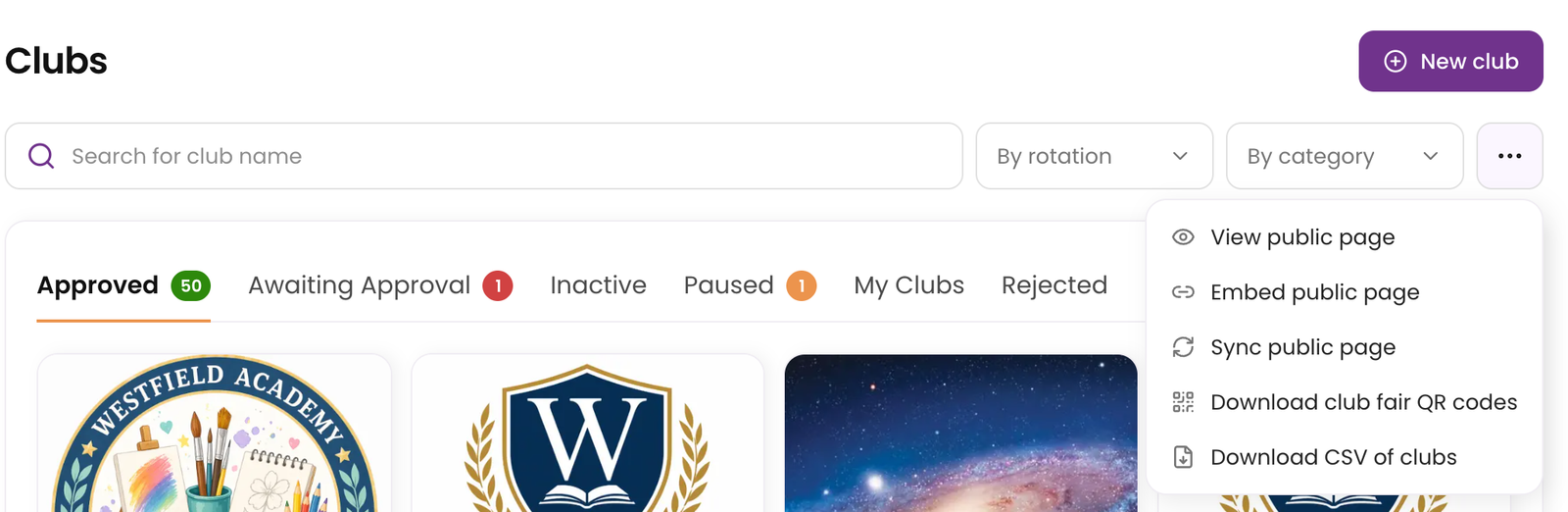
- Click the three dots at the end of the search bar.
- Choose Download club fair QR codes.
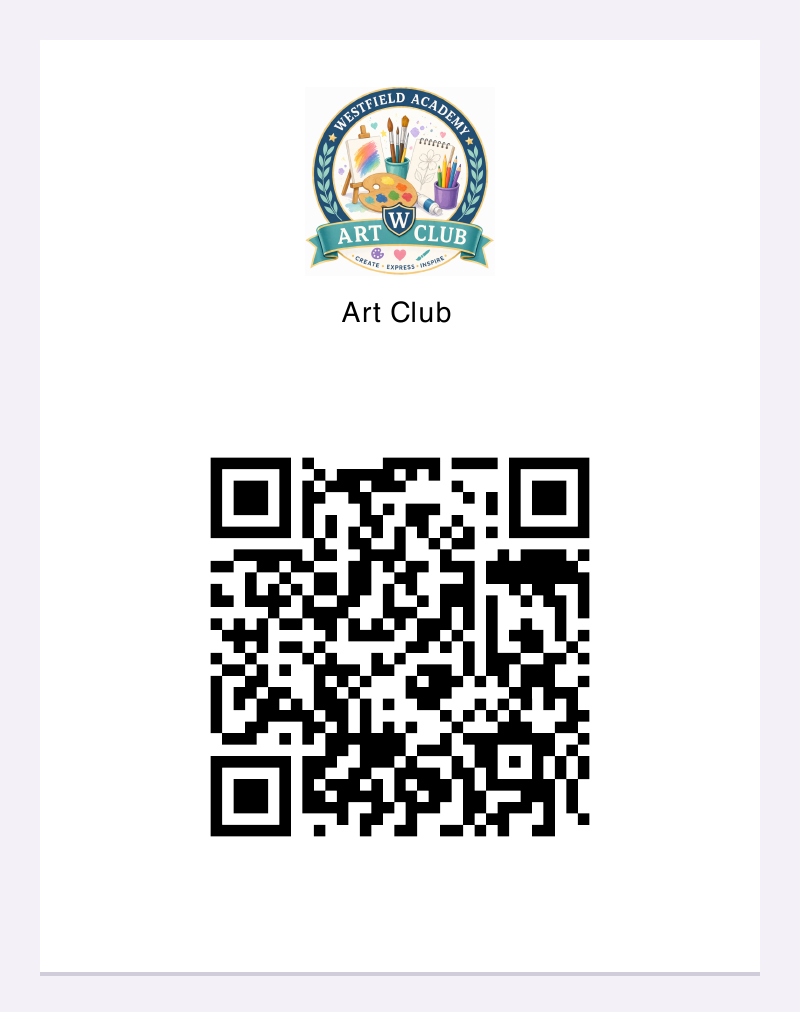
You get one PDF with a letter-size page for each approved club, A to Z, ready to print. Each page has the club's logo (or your school's logo when the club has none), the club's name, and its code. Hidden clubs are left out.
On Athletics, the same menu item downloads a page for each team.
Get one club's code (club leaders and faculty advisors)
Club leaders, faculty advisors, and administrators can open a club's code in three places:
- On the club's page, in the Invite members card, click Club fair QR code.
- Click the three dots beside the club's name and choose Club fair QR code (Team fair QR code on a team).
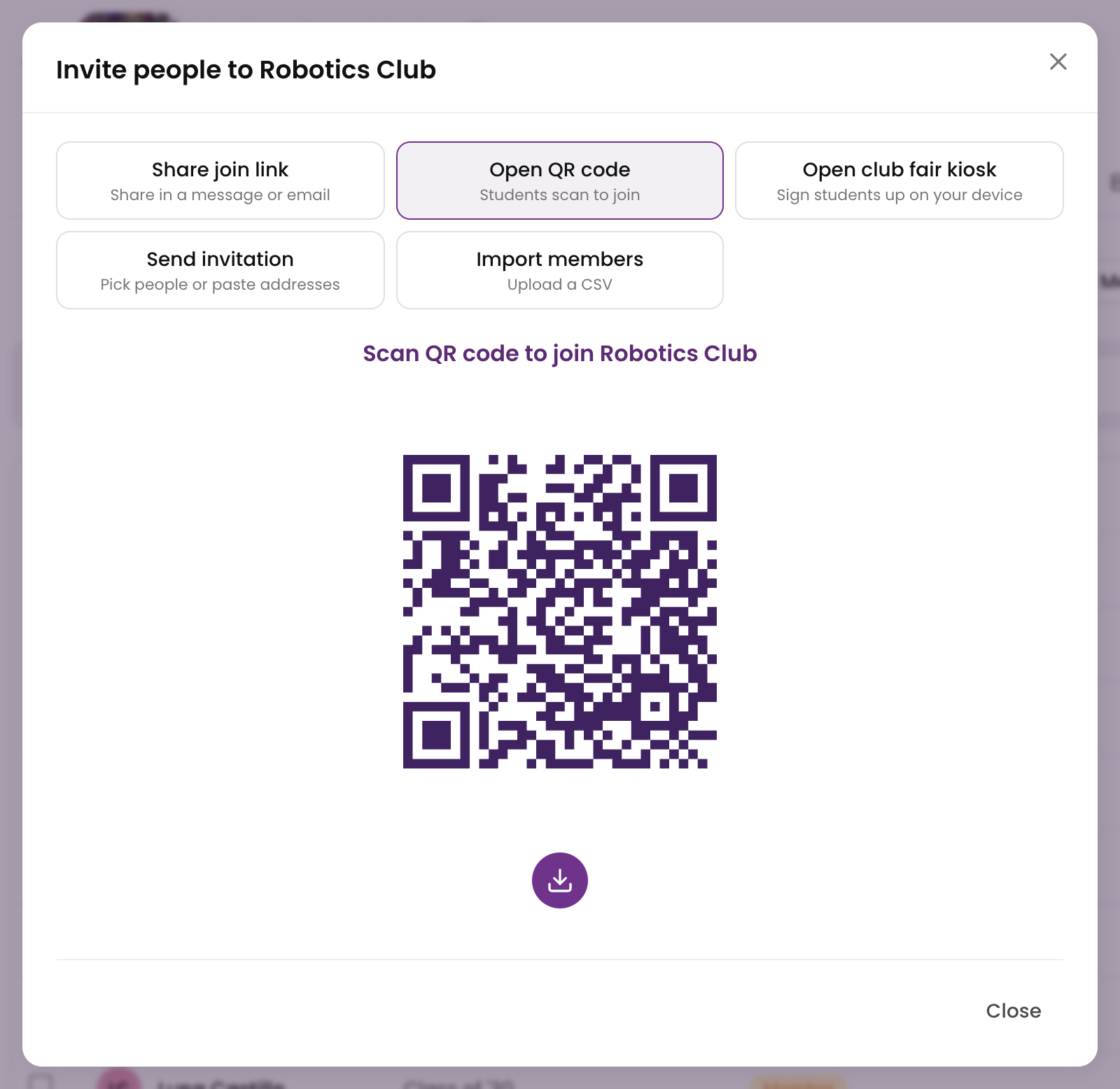
- On the club's Members tab, click Invite, then Open QR code.
The pop-up shows Scan QR code to join with the club's name above the code. Show it on a screen, or click the round download button under the code for a printable PDF of the same page. In the Club Hub app on a phone, the download opens your phone's share menu, so you can print it, save it, or send it.
What happens when a student scans the code
- The code opens the club's page. Someone who isn't signed in signs in first and comes right back to the club.
- A student new to Club Hub creates an account and joins your school first, then lands on the club.
- They tap Join club (Join team on a team). If the club approves new members first, the button says Join as Interested Member.
- If the club has reached its member limit, the page says This club is full. See Set a Member Limit for a Club.
- Before your school's registration date, the page shows Club registration opens on and the date. See Set a Club Registration Opening Date.
- Only people at your school can open the club's page.
No phones at the fair?
Run the club fair kiosk on a tablet at the club's table instead. Students type their school email, and nobody has to sign in. See No Phone Club Fair Kiosk.
Frequently asked questions
Can I reuse last year's posters?
Yes. A club's code is the address of its page, which never changes, so a poster keeps working year after year. Codes printed from Club Hub in earlier years still open the right club.
Why is a club missing from the download?
The download has only approved clubs that are not hidden, so a club waiting for approval, paused, deleted, or hidden is left out. A hidden club's own code opens only for people invited to it. See Hidden Clubs (Advisory Groups).
Can club leaders download every club's code?
No. The download of every club is for administrators. Club leaders and faculty advisors download their own club's code.
Can I send the link instead of the code?
Yes. Click Copy join link on the club's page, or Share join link in the invite pop-up. See Invite Club Members.