For IT & Security
Student communication, safely supervised
Club Hub replaces scattered group chats with admin-moderated messaging your school can actually see, set up by IT in about 20 minutes, with student data stored in the US.
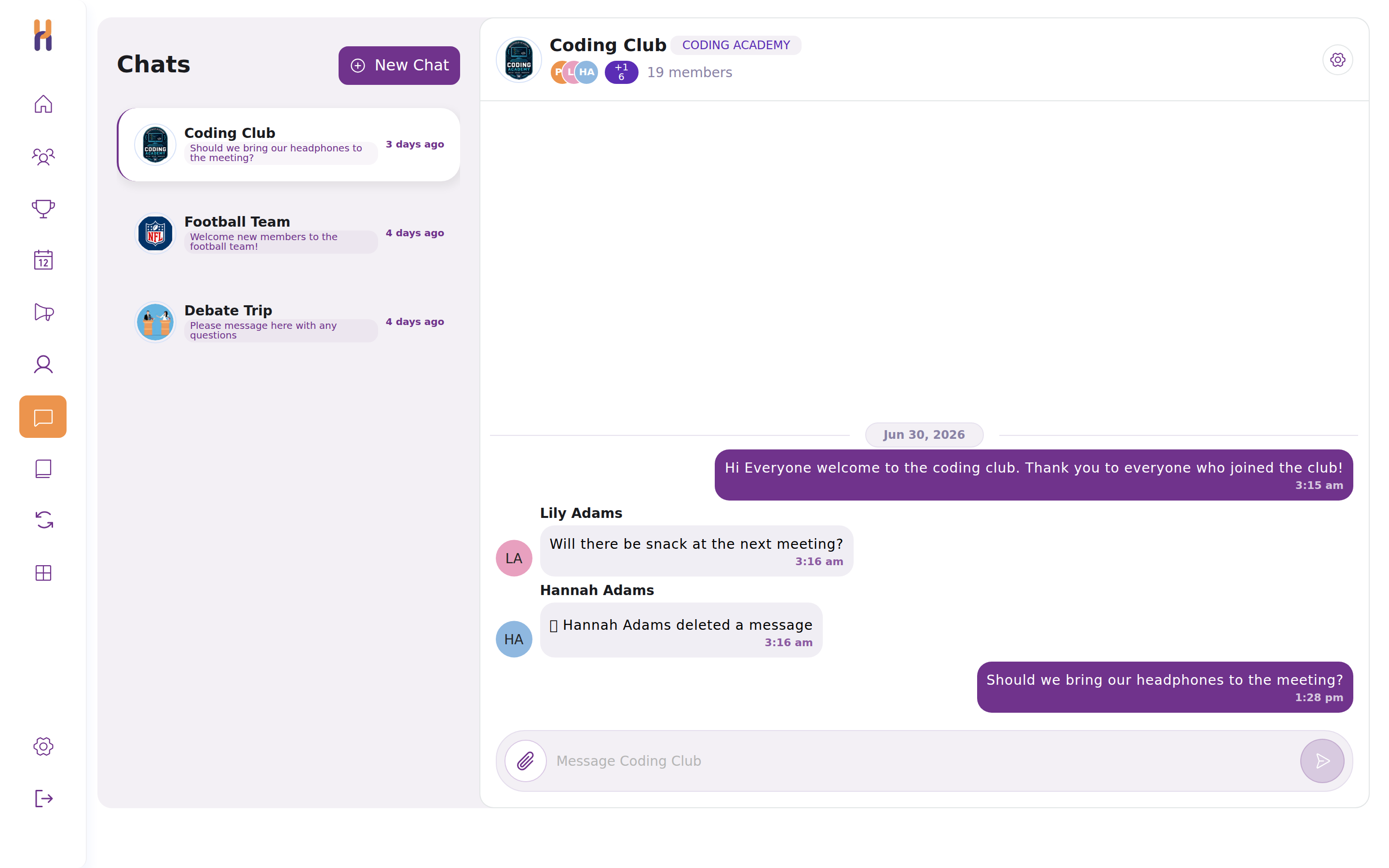
Club Hub replaces scattered group chats with admin-moderated messaging your school can actually see, set up by IT in about 20 minutes, with student data stored in the US.
Every club conversation happens on Club Hub, where advisors and admins can see it, moderate it, and step in, replacing the invisible group chats the school can’t supervise.
Students sign in with their existing school Google or Microsoft account. Schools can create accounts through SSO and manage rosters through CSV today, with SIS sync coming soon.
Basic profile only: name, email, and graduation year. That’s everything Club Hub asks for at sign-up.
All school and student data lives in United States AWS data centers. Nothing is hosted overseas.
Data is encrypted at rest with AES-256 and in transit with TLS. Every connection to Club Hub runs over TLS, and administrative access is secured with SSH.
Members, meetings, attendance, messages: the school can pull a report of any of its data, any time.
When clubs organize over GroupMe, WhatsApp, or iMessage, the school has zero visibility into what’s being said. On Club Hub, chat and announcements live inside the platform: advisors are in the room, admins can review and remove anything, and every club communicates through a channel the school supervises.
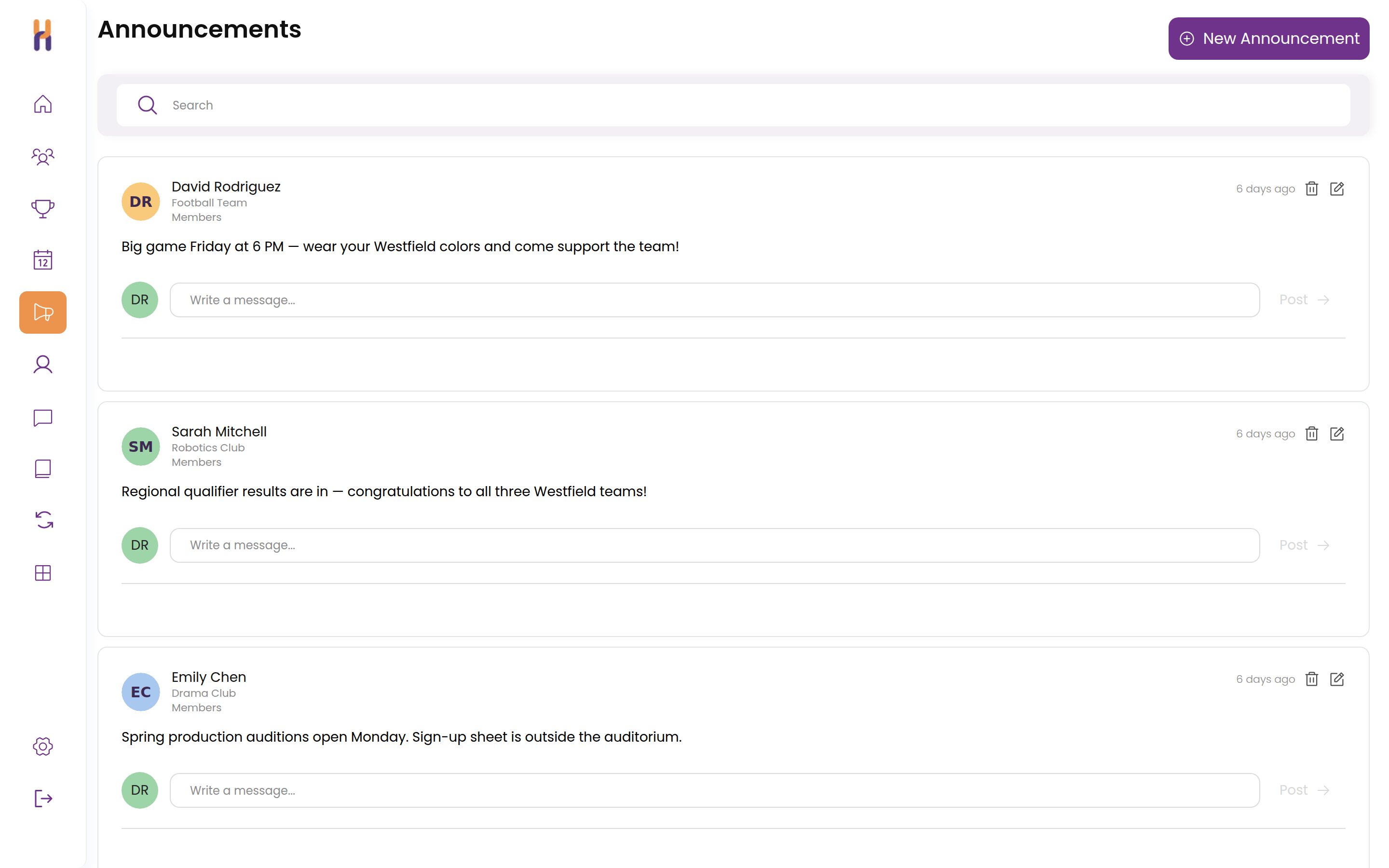
Today, club life is scattered across iMessage, WhatsApp, Instagram, email, Google Calendar, GroupMe, Google Forms, and spreadsheets. Club Hub brings all of it into one place that the school and students can access.
 ONE PLATFORM
Messages, events, forms, sign-ups, and attendance, together with school-wide visibility.
“Club Hub has revolutionized our school club experience by giving our students a safe, secure way to communicate, plan, and manage clubs. We are seeing growth in their discipline, drive, and leadership skills. I cannot recommend this enough.”

There’s nothing to install and no servers to run. Club Hub works in any modern browser on laptops, tablets, and phones. A one-time checklist covers identity, email deliverability, iOS deployment, and web filtering, and we’ll walk your team through any step on a quick call.
We handle support so your team doesn’t have to.
IT, administrators, and deans of students can schedule a time to meet with our team anytime.
Students can reach out directly via the in-app chatbot or email for support, so nothing routes through your help desk.
Emails are answered within 24 hours, and typically in less than an hour.
Automatic rostering from your student information system is on the way, with accounts and enrollment synced straight from the source of truth.
 COMING SOON
 COMING SOON
Using a different SIS? Tell us. Account creation via SSO and roster management via CSV work today.
The answers IT directors usually need before saying yes.
Students sign in with their existing school Google or Microsoft account. Club Hub does not store student passwords. For most schools, IT setup is a one-time approval in Google Workspace or Microsoft Entra.
Club Hub typically uses a student’s name, school email, graduation year, and club activity within the platform. Schools can also upload a roster through the admin portal to help with launch, invitations, class year setup, and identifying which students have not joined yet.
No. Students can create accounts through school SSO. Many schools also upload a CSV roster so administrators can manage rollout, send reminders, and organize students by grade or graduation year.
Automatically. Club Hub tracks each student’s graduation year, and when a class graduates, those students are automatically marked as graduated, removed from active club rosters, and unsubscribed from club emails. Administrators can also remove a departing student manually at any time.
Yes. Club Hub verifies users by school email domain and school SSO. Schools can configure which student and faculty domains are allowed.
Yes. Club Hub supports sign-in through Google Workspace and Microsoft Entra. Schools may need an IT administrator to approve the Club Hub app before students can sign in.
Club Hub works alongside existing student information systems. Today, schools can use CSV imports and exports to manage student and club data. We are actively exploring deeper SIS integrations with schools using systems like Veracross and Blackbaud.
Yes. Schools can export key Club Hub data, including clubs, memberships, rosters, attendance, and engagement data. This helps administrators, counselors, and technology teams use Club Hub data in internal reports or downstream systems.
Parents do not need a Club Hub account. Schools can publish a public-facing club directory that shows approved club information such as descriptions, meeting days, faculty advisors, and logos. Student-specific data remains controlled by the school.
Yes. Club Hub includes role-based permissions so schools can control what administrators, advisors, counselors, student leaders, students, and public visitors can see. Schools can manage sensitive club visibility based on their own policies.
Yes. Club Hub is designed for school-supervised student life. School administrators and advisors can review club communications and manage posting permissions based on school policies.
Club Hub is hosted on AWS infrastructure in the United States.
Yes. Club Hub encrypts data in transit with TLS and at rest with AES-256.
No. Club Hub does not sell student data or use student data for advertising. Club Hub only uses trusted service providers needed to operate and support the platform.
Club Hub can provide its Privacy Policy, Terms of Use, Standard Agreement, and data privacy documentation for school review. If your school has specific compliance requirements, our team is happy to review them with your technology or legal team.
Schools can export their data and request deletion according to their agreement and applicable law.
A 30-minute demo tailored to your school. Bring your IT team, we’ll answer everything.
Request a Demo