For Clubs

Give every club a home, and every student a way in

From club fair sign-ups to weekly meetings, Club Hub gives every club a page students actually check, and gives advisors and activities directors visibility they have never had.
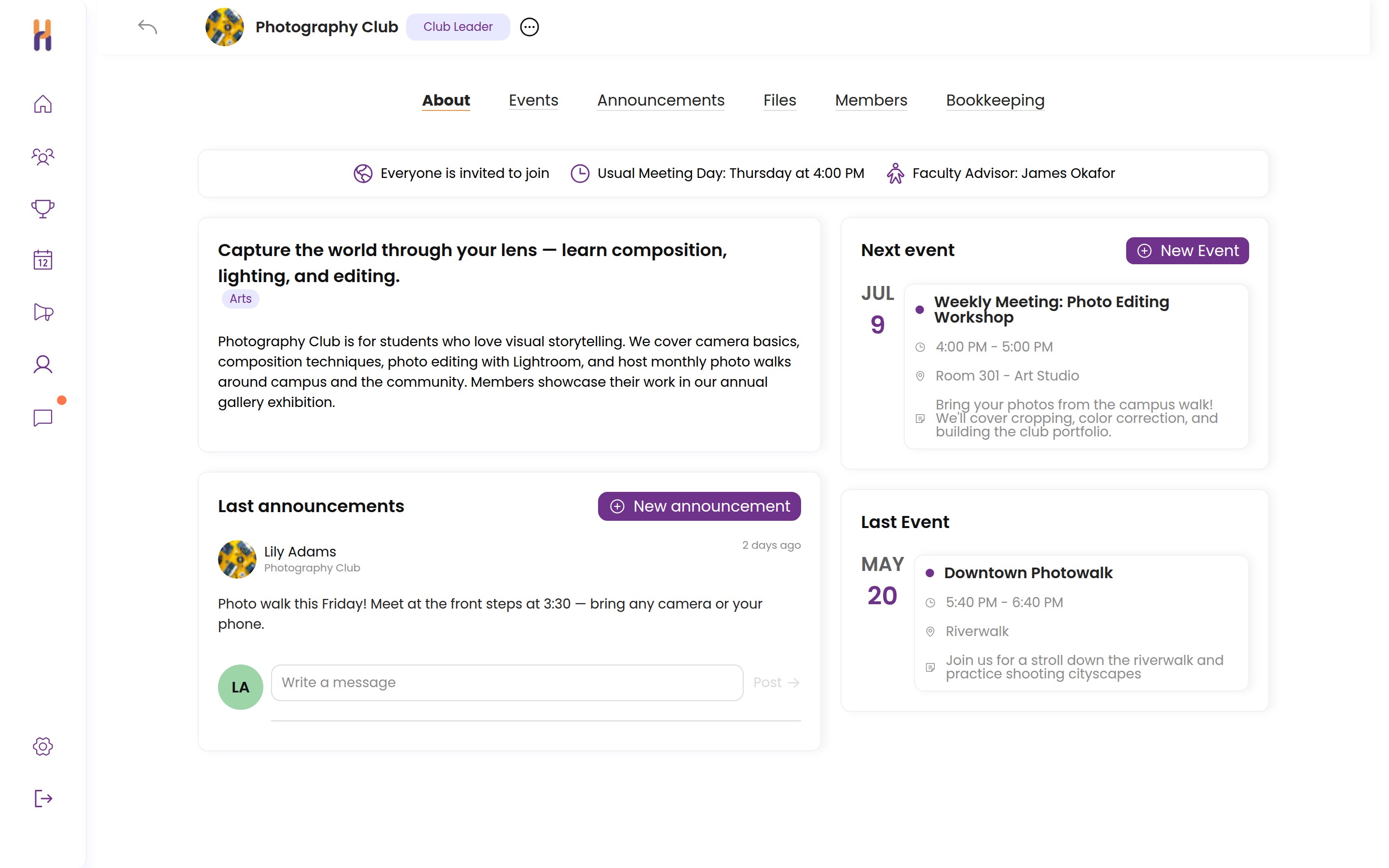
A club page with its next event, announcements, and members
New member joinedPhotography Club · via club fair kiosk
Meeting reminder sentEditing Workshop · Thu 4:00 PM
The Problem

The club program is bigger than the spreadsheet tracking it

Club fair sign-up sheets get typed into a spreadsheet that is out of date by October. Meetings move, students miss the announcement, and advisors answer the same questions all year. Clubs run on goodwill and memory, and the students who most need a way in are the ones who fall through the cracks.

Club Hub makes clubs easier to find, easier to run, and easier to support.

The Club Fair

Club fair sign-ups without the clipboard

Students join in seconds at the fair: scan the club’s QR code from a poster, or type a school email at the table kiosk. Either way they are on the roster before they walk away, with no sign-up sheets to re-type.

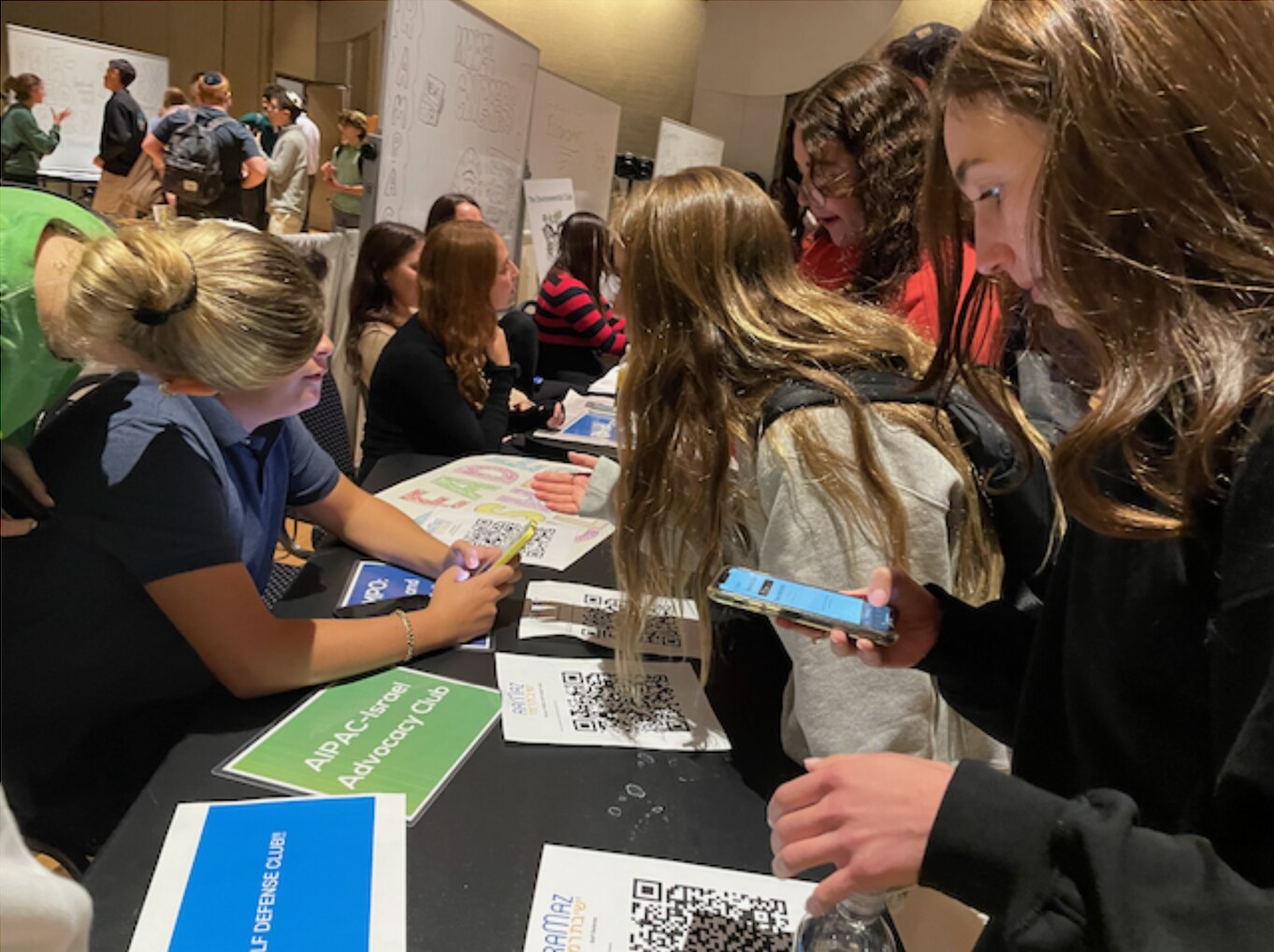
Students at a club fair scanning club QR codes with their phones

Scan and you’re in. Every club gets its own QR code for its poster and table. Students scan it with their phone and they are on the roster before they reach the next table — this is a real club fair running on Club Hub.

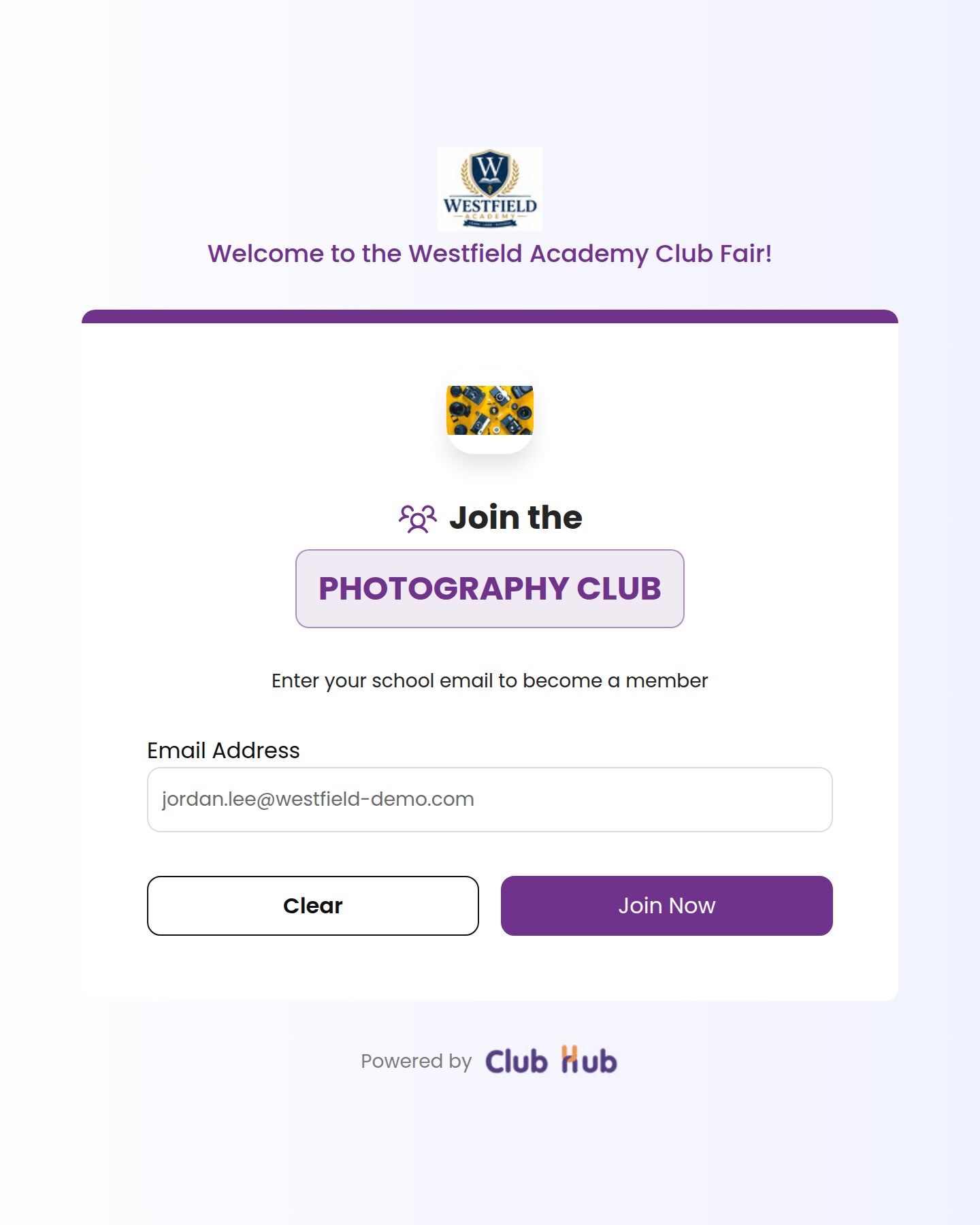
Club fair kiosk mode: a student joins the Photography Club with just a school email

No phone? No problem. A laptop or tablet at the club’s table runs kiosk mode: students type their school email, tap Join, and the screen resets for the next student in line.

A directory students actually browse

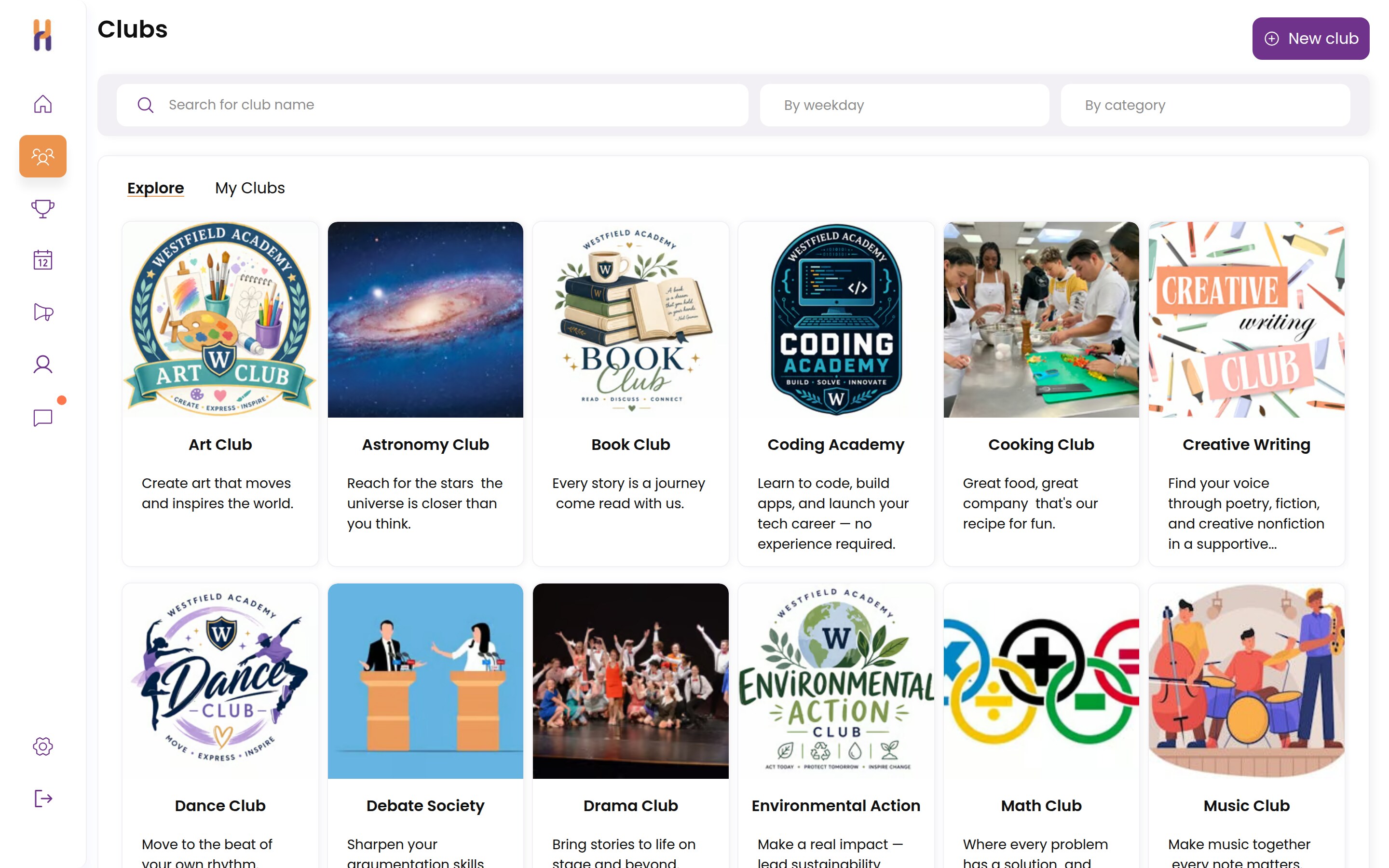
Every club has a live page in the school’s directory, searchable by meeting day and category. Students who missed the fair, or who get curious in February, can find a club that fits their schedule and join any day of the year.

The club directory with search and filters by weekday and category
After They Join

Communication and attendance on the club’s own page

Announcements, group chat, and events live on each club’s page, on school accounts instead of personal group texts. And at every meeting, attendance takes two taps.

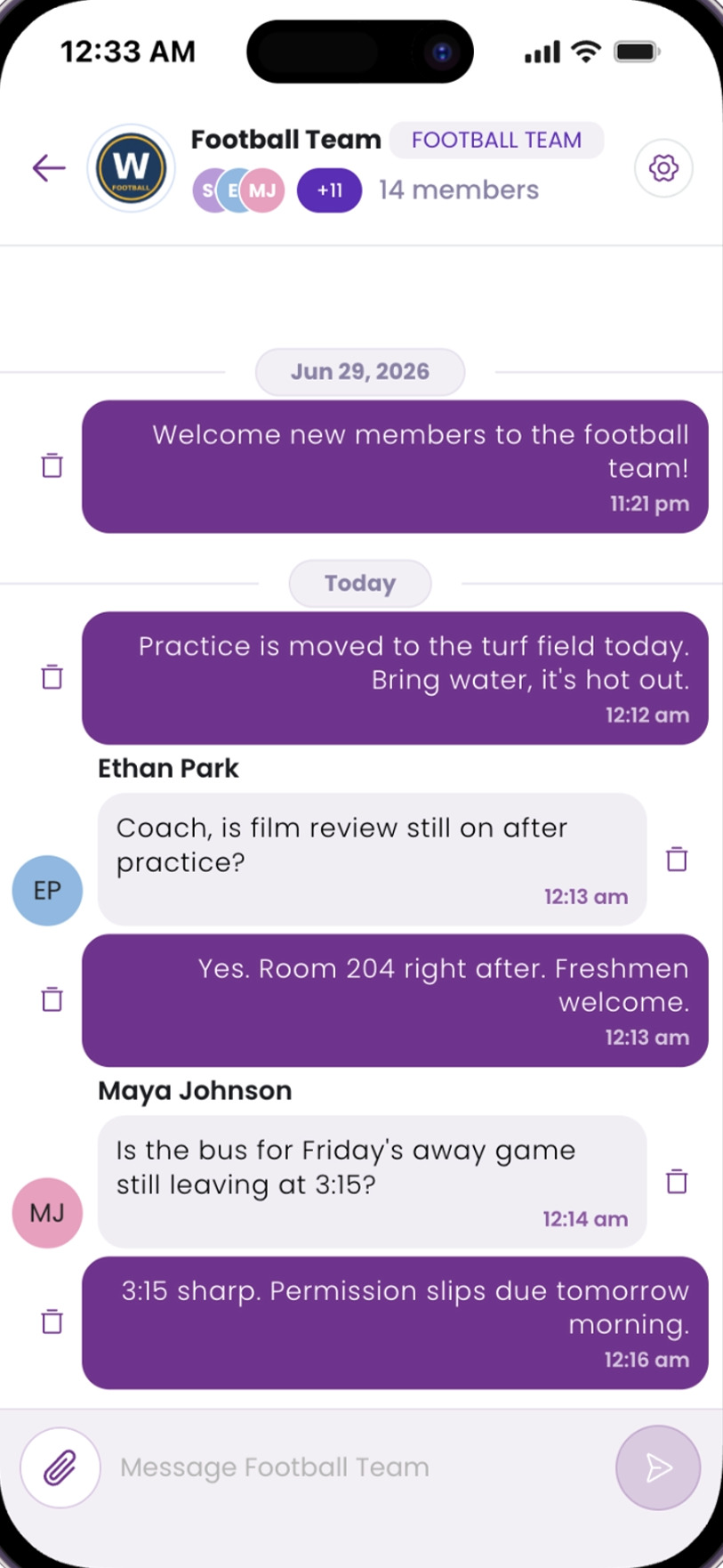
Group chat between a leader and members on a phone
Chat the school can stand behindLeaders post updates and answer questions in one thread that administrators can see, so nothing moves to personal phone numbers.
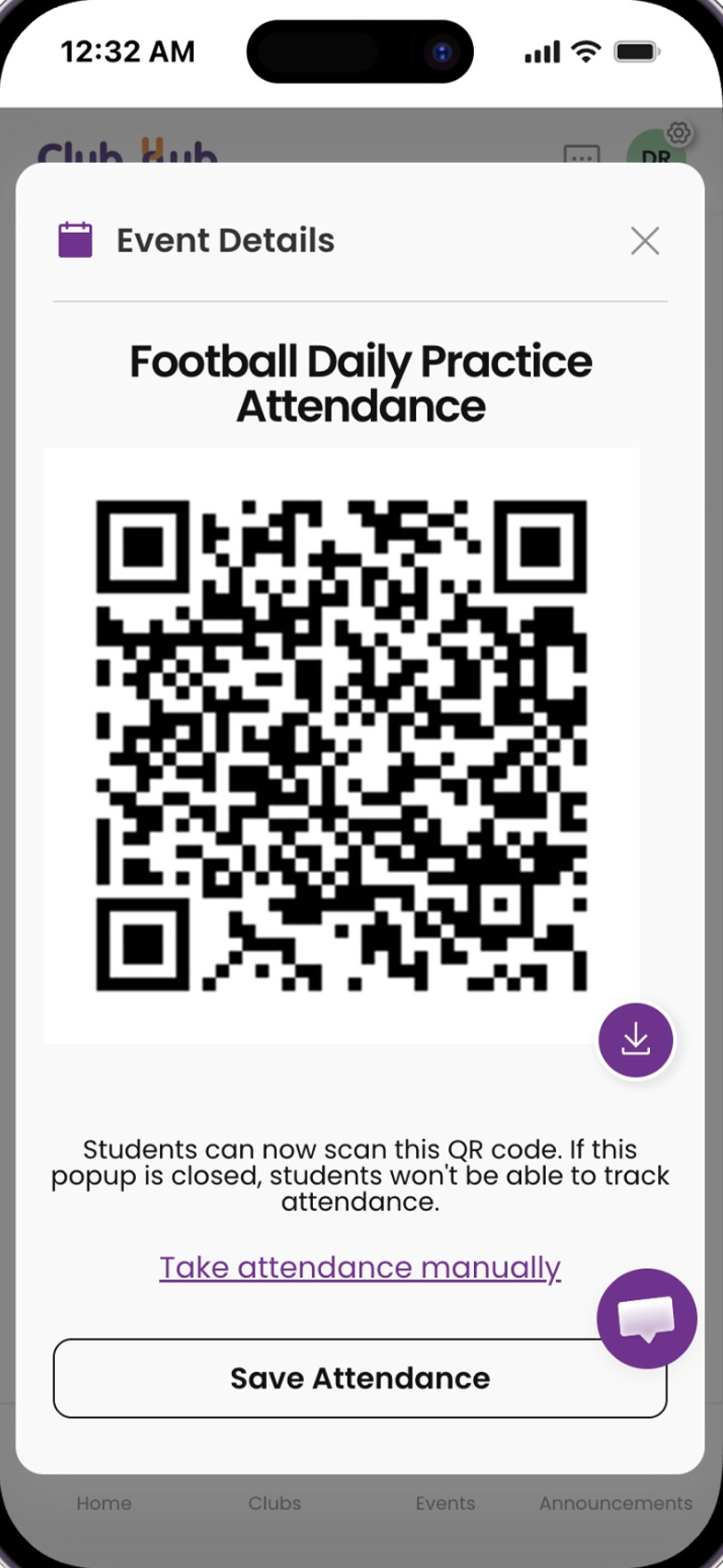
QR code attendance on a phone
Attendance in two tapsMembers scan the meeting’s QR code as they arrive, or the leader checks names off. Attended and missed meetings are tracked automatically.
The Weekly Newsletter

Every week, every student sees what’s coming

An events email that writes itself

Every week, Club Hub automatically emails each student and advisor the upcoming events for their own clubs. Nobody compiles it, nobody forwards it, and nobody has to ask what is happening this week.

  • Sent automatically, no admin work
  • Personalized to each student’s clubs
  • One tap from the email to the event
Fits Right In

Connected to what students already use

Club Hub does not ask students to check one more place. It reaches them where they already are, on whatever device they have.

Email and app notifications

Announcements, new events, and meeting reminders arrive as email and app notifications automatically, so members hear about changes without checking anything.

Google Calendar built in

Every event carries add-to-calendar links for Google Calendar, Outlook, or any calendar app, so club meetings land on the same calendar as the rest of a student’s life.

Any phone, any computer

Students check their clubs from their phones. Advisors and activities directors work from school laptops. It is the same live page either way, with nothing to install.

Why It Matters

Built so more students actually get involved

The point of the club program is not the paperwork. It is students finding their people, showing up, and building something they are proud of.

Students find their people

A browsable directory, QR sign-ups, and kiosk mode lower the barrier for the shy student, the new student, and the one who missed the fair.

Members stop missing meetings

Reminders, agendas posted in advance, and a calendar that is always current mean showing up stops depending on hallway word of mouth.

Involvement becomes a record

Meetings attended, events run, and clubs led add up to an involvement record that follows each student, ready for advising, recognition, and college counseling.

“Gone are the days of wondering where and when meetings are being held. Students are alerted to upcoming meetings, see agendas in advance, and more students are able to become involved.”

AL
Allison LawtonRabbi & ASB Coordinator, TVT Community Day School
Club Create

A clear path from idea to official club

New clubs are how the program grows. Club Hub turns “can I start a club?” from a hallway conversation into a process everyone can see.

Propose, approve, launch

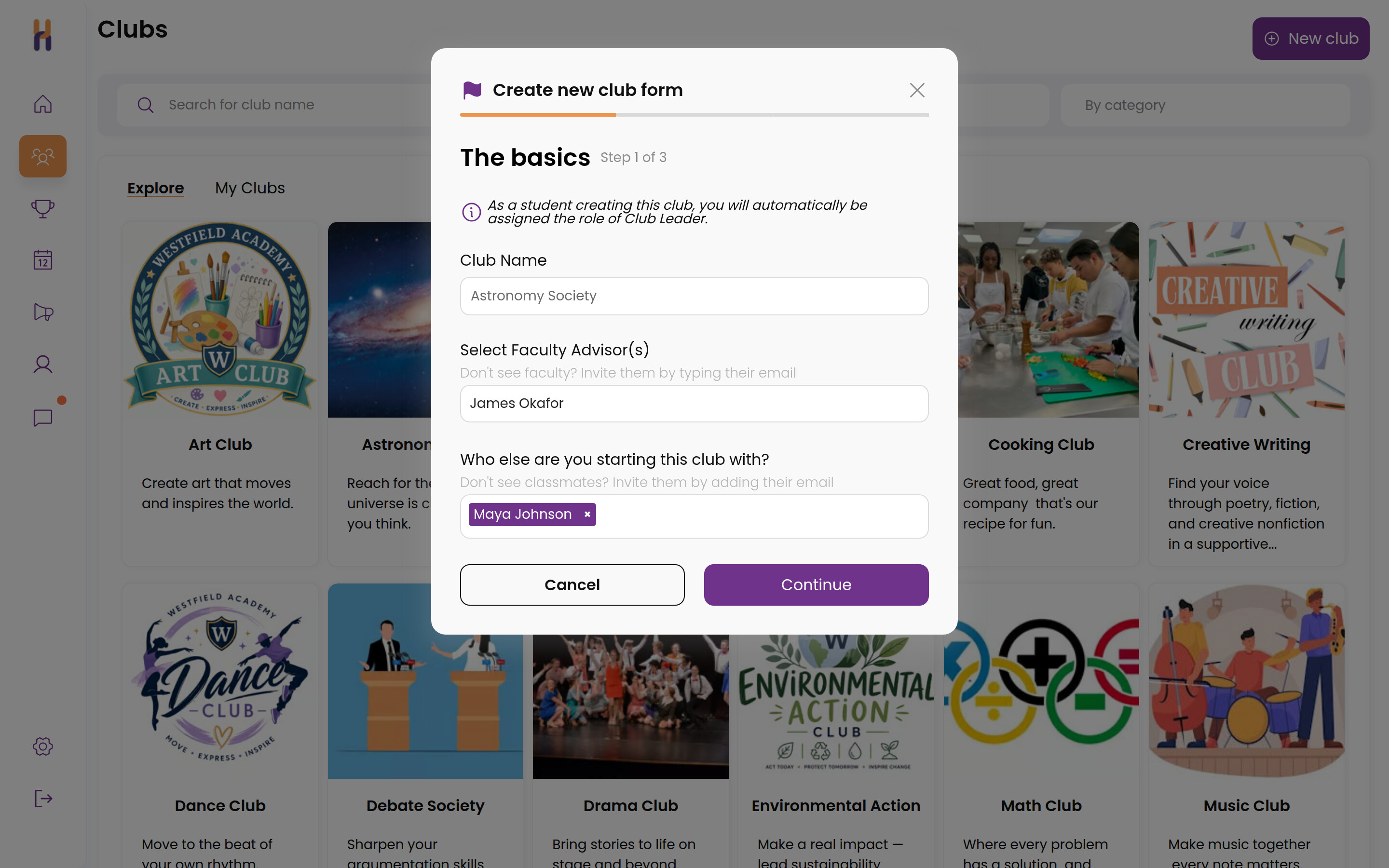
A student fills in the club’s name, mission, and meeting plans. The activities director reviews and approves it in Club Hub. The moment it is approved, the club has its page, roster, chat, and calendar, ready for its first members.

  • One form students can complete on their own
  • Approval stays with the activities office
  • Page, roster, and chat created automatically
The club create form where a student proposes a new club
FAQ

Clubs FAQ

How do students join clubs in Club Hub?

Three ways: scan the club’s QR code at the club fair or from a poster, join at a table kiosk with just a school email, or browse the school’s club directory and join from the club’s page any day of the year. Every path puts the student straight onto the club’s roster.

What is kiosk mode?

Kiosk mode turns any laptop or tablet into a club fair sign-up station. Students type their school email and tap Join; the screen resets for the next student. Sign-ups land on the roster instantly, so there are no paper sheets to re-type after the fair.

What does a club page include?

Every club gets the same page: description and meeting details, announcements, group chat, an events calendar, files, and the member roster. Club leaders and advisors update it in seconds, and members always see current information.

How does attendance work for clubs?

Members scan the meeting’s QR code as they arrive, or the club leader checks names off on a phone. Attendance saves to the club’s record, and each student’s attended and missed meetings are tracked automatically.

What is the weekly newsletter?

Once a week, Club Hub automatically emails each student and advisor the upcoming events for their own clubs. It is personalized to each person’s memberships and requires no work from the activities office.

Does Club Hub work with Google Calendar?

Yes. Every event includes add-to-calendar links for Google Calendar, Outlook, and any app that accepts calendar (.ics) files, and members also get email and app notifications for announcements and reminders.

How do students start a new club?

With Club Create, a student proposes the club’s name, mission, and meeting plans in one form. The activities director reviews and approves it, and the club’s page, roster, and chat are created automatically the moment it is approved.

Do students need to install an app?

Students can use Club Hub from any browser on a phone or computer. Notifications reach them by email and app notification, so club updates arrive even when they are not looking for them.

See what your club program could look like in Club Hub

A 30-minute demo tailored to your school. No commitment.

Request a Demo