Without chasing spreadsheets, receipts, and email threads. Club Hub helps schools track club balances, budget requests, and transaction history in one place, while keeping the business office in control.
Club Hub is not a replacement for your accounting system.
Keep QuickBooks, Blackbaud, or whatever your office runs today. Club Hub gives student life teams and the business office a clean operational record of club finances that can be reviewed, exported, and reconciled with your existing process.
Why business offices choose Club Hub
One Ledger for Every Club
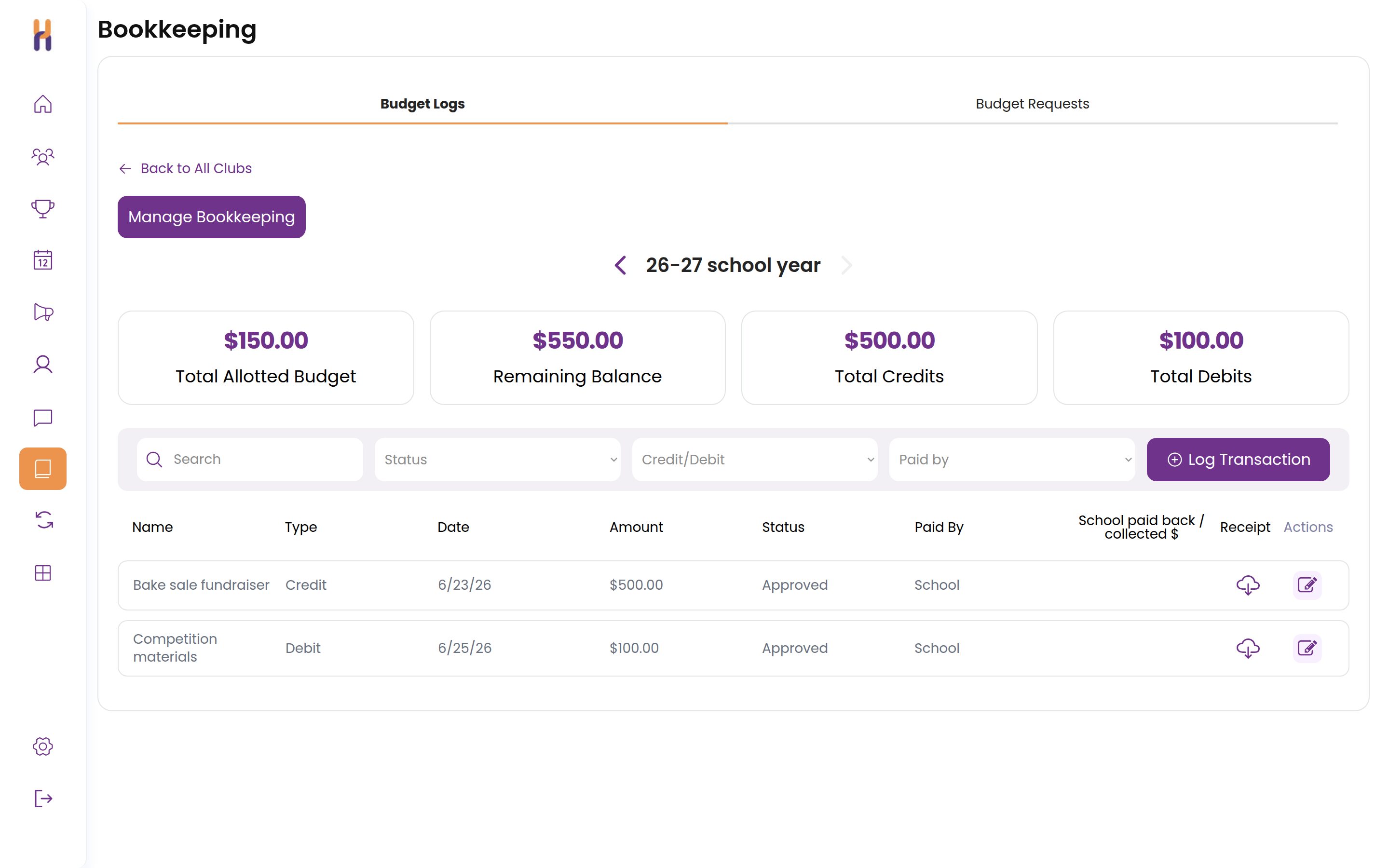
Each club logs income and expenses in its own ledger, and your office sees balances across the whole program.
Receipts Attached to Expenses
Receipts get uploaded right on the transaction. Your school decides whether a receipt is required for every expense or optional.
Know Who Paid and Who Is Owed
Every transaction records whether the school paid or a student or advisor covered it, so reimbursements stay flagged until they are marked paid back.
Budget Requests with Approvals
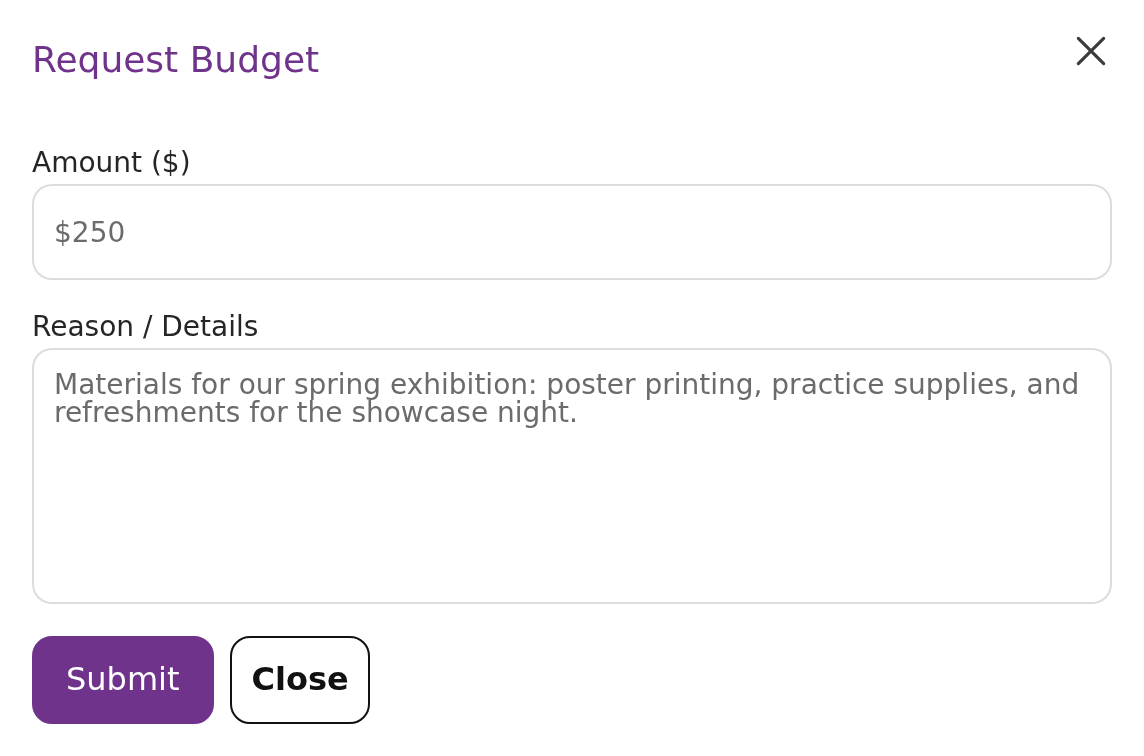
Club leaders ask for money for something specific, with an amount and a reason. Your office approves or rejects each request.
Balances in Real Time
Every transaction updates the club's balance the moment it's logged. No end-of-year surprises.
An Audit-Ready Paper Trail
A complete, timestamped history of every transaction in every club: date, description, amount, and who logged it.
Start Budget Season from Real Numbers
Clubs submit budget requests in Club Hub, and each school year keeps allocations next to actual spending. Instead of starting from scratch, your office sees what each club requested, what they used, and what changed year over year.
Next year's allocationsRequested vs used last year
Robotics Club$1,800 requested
Drama Society$1,400 requested
Debate Team$650 requested
RequestedUsed last year
Budget Requests for Specific Needs
A club leader can request money for something specific: an amount plus what it will be used for. The request lands with your office as pending, and you approve or reject it with a message the club can see.
Drill Into Any Club's Books
Open a club to see every transaction: what it was for, the receipt behind it, who logged it, and how the balance moved over the year. Reimbursements stay visible until someone is paid back.
Business office controls
Built for oversight
They are the clubs' books, but your office holds the pen. Schools decide exactly who can log activity and who can only look.
Admins can review balances across all clubs
Advisors and student leaders can log activity based on school permissions
Every transaction includes a date, description, club, and timestamp
Schools can review changes before year-end reporting
Take the numbers with you
Export club balances and transaction history for reconciliation, budgeting, or internal reporting.
club-balances.csv
transaction-history.csv
budget-requests.csv
FAQ
Business Office FAQ
Does Club Hub replace our accounting system?
No. Club Hub is designed to support your existing accounting process, not replace it. Schools use Club Hub to keep a clean operational record of club balances, budget requests, and transaction history, then reconcile that information with their existing business office systems as needed.
Does Club Hub process payments?
Club Hub tracks club income, expenses, balances, and budget requests. Schools can continue using their existing payment collection and accounting workflows, while using Club Hub as the shared record for what each club has received, spent, and requested.
Can we export the data?
Yes. Club Hub can provide exports of club balances, transaction history, and budget request information so the business office can review, reconcile, or report on club finances outside the platform.
Who can enter transactions?
Schools control permissions. Depending on your setup, student leaders, club advisors, or administrators can log transactions for their clubs. Admins can review activity across the full club program.
Are receipts required?
That is up to your school. Receipts can be uploaded and attached to any transaction, and schools can make a receipt mandatory for every expense or keep it optional.
Can student leaders see balances?
Yes, if the school allows it. Club Hub can give club leaders visibility into their own club’s balance so they understand what they have available and can make more responsible spending decisions.
Can the business office see all clubs in one place?
Yes. Admins can review club balances and activity across the whole school, then drill into a specific club to see its transaction history, descriptions, dates, and logged activity.
How does Club Hub help with budget planning?
During club renewal, schools can collect each club’s budget request directly in Club Hub. That gives the business office and student life team a cleaner starting point for next year’s allocations, instead of relying on scattered spreadsheets, emails, or last-minute requests.
Is there a record of who added each transaction?
Yes. Transactions are logged with key details like club, date, description, amount, and timestamped activity, creating a clearer paper trail for review.
Can we use Club Hub even if our finance process is mostly offline?
Yes. Club Hub is flexible enough to support schools that still use checks, purchase requests, reimbursements, or internal transfers. It gives everyone a clearer shared view of club activity without requiring the business office to change its core accounting system.