Advisory Group Clubs
Overview
The Hide Club feature gives administrators control over which clubs are publicly visible. Administrators can hide clubs that should not appear on the main Clubs page or the public-facing directory. Hidden clubs remain fully functional for their members, but are not discoverable by non-members.
This feature is ideal for clubs that are invite-only. In order to enable this feature, please contact support@clubhub.com
Hiding a Club
- Navigate to the Club Menu.
- Select the option Hide Club.
- The club will no longer appear on:
- The main Clubs page
- The public-facing clubs directory
Note: You will be asked to confirm this action before it is saved. If you do not confirm you want to hide the club, it will stay visible to all students.
Administrator View
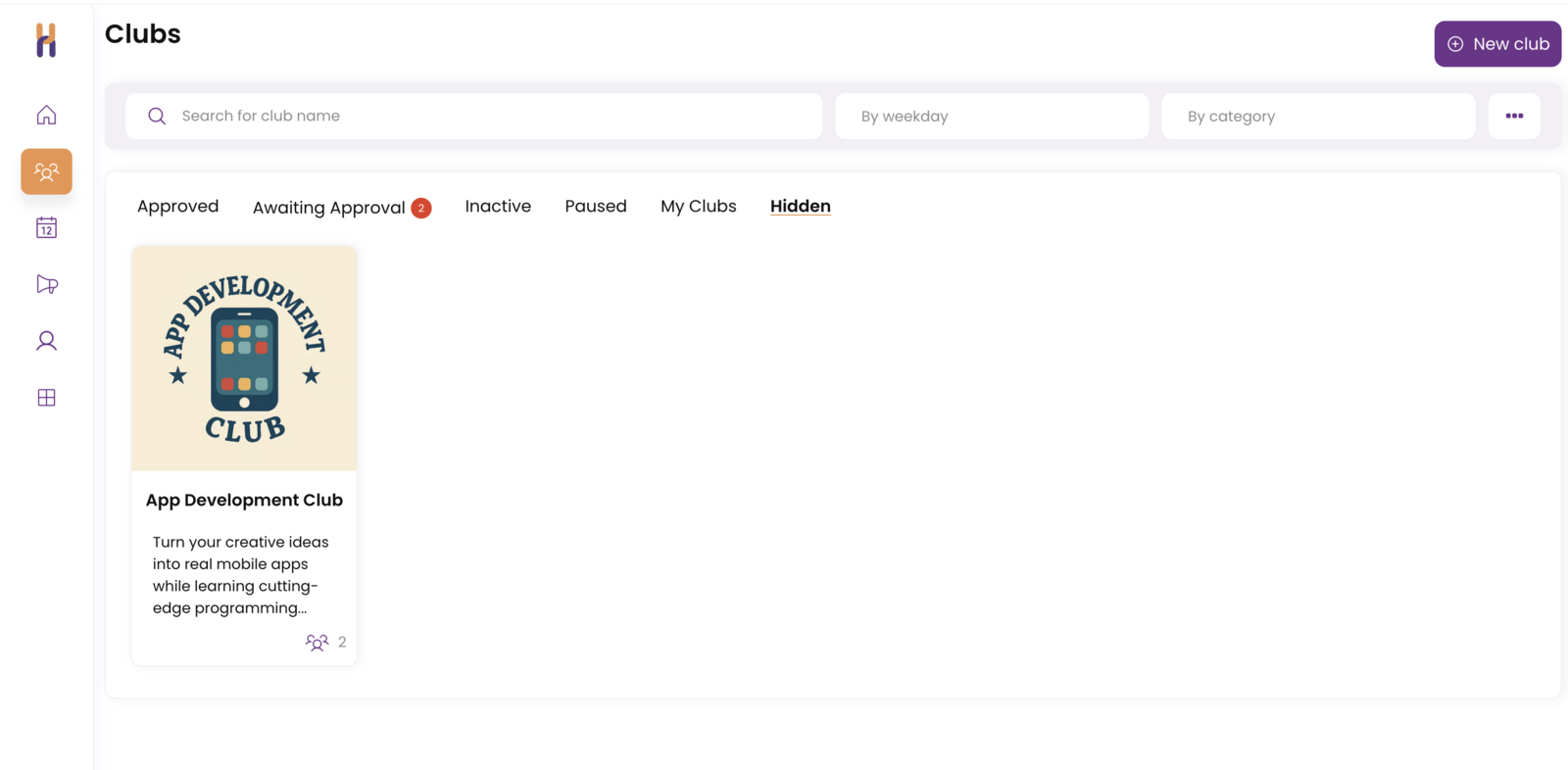
As an administrator, you are able to view all of your school's hidden clubs by navigating to the Hidden Clubs tab on the Clubs page. This tab will not be visible to any other user type.
Adding Students to a Hidden Club
Since students cannot browse hidden clubs, they will need to be invited to join the club. To invite students to join the club, visit Invite Club Members
What Students See
- Members of a Hidden Club – Continue to see and access their club as usual from the My Clubs tab.
- Non-Members – Cannot see or discover the hidden club on any public pages.
Benefits
- Hide invitation only clubs from public viewing
- Maintain access for current members without disruption.