Students and faculty can start a new club in Club Hub whenever your school allows it. You fill in three short steps, and if your school reviews new clubs, the club waits for an administrator to approve it. Once it is approved, it appears in your school's club list for students to join.
Open Create club
- Click Clubs in the menu.
- Click New club at the top of the page.
If you are not in any clubs yet, the Create Club tile on your Dashboard opens the same form.
If you see "Creating new clubs is currently disabled by your school administrator.", your school is not taking new clubs right now. Ask an administrator.
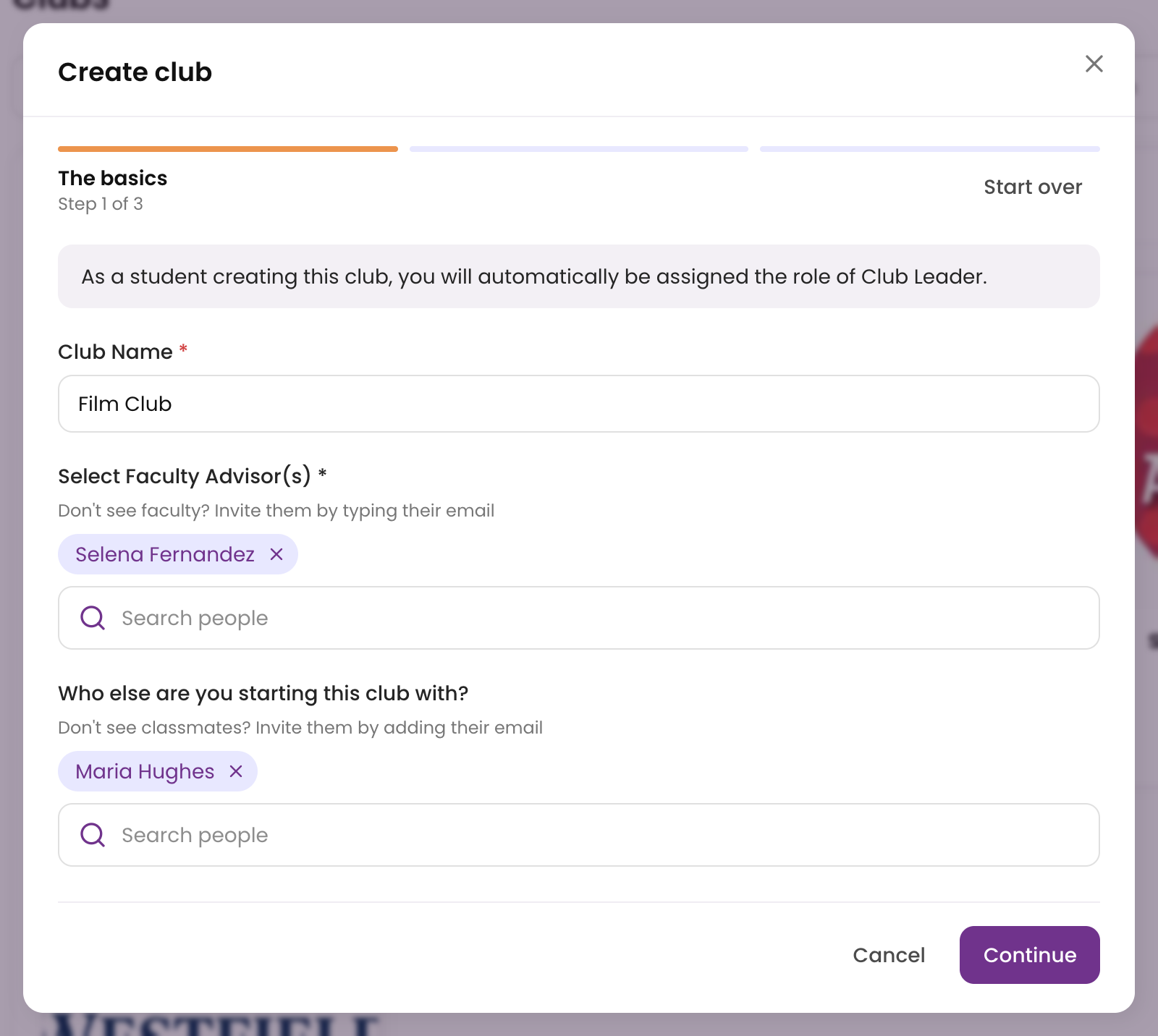
Step 1: The basics
- Club Name. The name students see in the club list.
- Select Faculty Advisor(s). Type a teacher's name and select them. If they are not on Club Hub yet, type their school email to invite them. Your school may require at least one advisor.
- Who else are you starting this club with? Add the students starting the club with you. They become club leaders with you. A classmate who is not on Club Hub yet can be invited by email.
As a student, you become a Club Leader of the new club automatically. A faculty member who creates a club becomes its Faculty Advisor and chooses the student leaders under Select Student Club Leader(s).
Click Continue.
Step 2: Club Settings
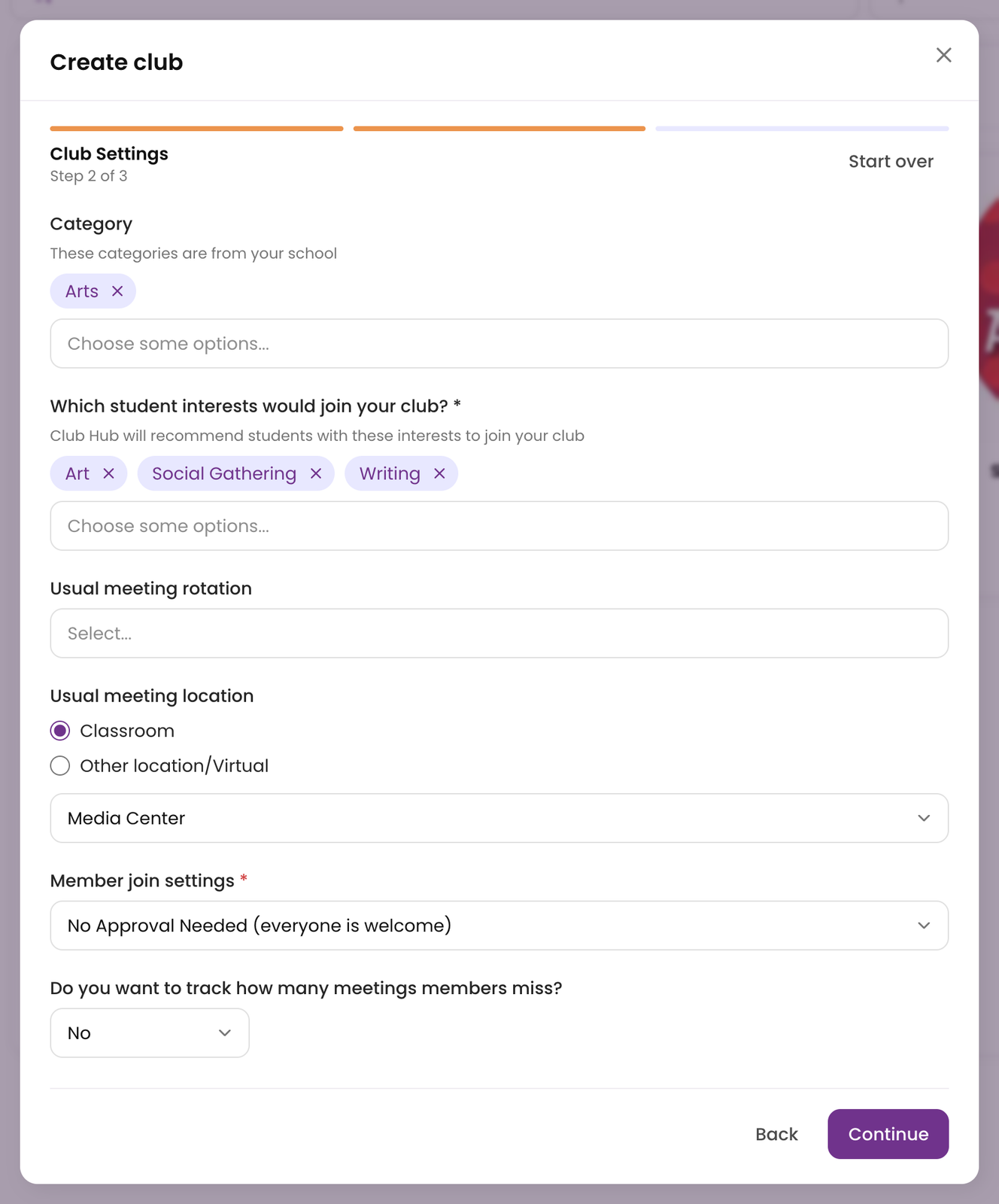
- Category. Select from the categories your school set up.
- Which student interests would join your club? Club Hub recommends your club to students with these interests. Select at least one.
- Usual meeting day and Usual meeting time. When the club normally meets. At a school that uses rotation days, this is Usual meeting rotation.
- Usual meeting location. A Classroom from your school's list, or Other location/Virtual.
- Member join settings. No Approval Needed (everyone is welcome) lets students join right away. With Club Leader Approval Required, a club leader approves each student who asks to join.
- Do you want to track how many meetings members miss? Choose Yes to count the meetings each member misses. Advanced Attendance Tracking explains how it works.
Click Continue.
Step 3: Club description
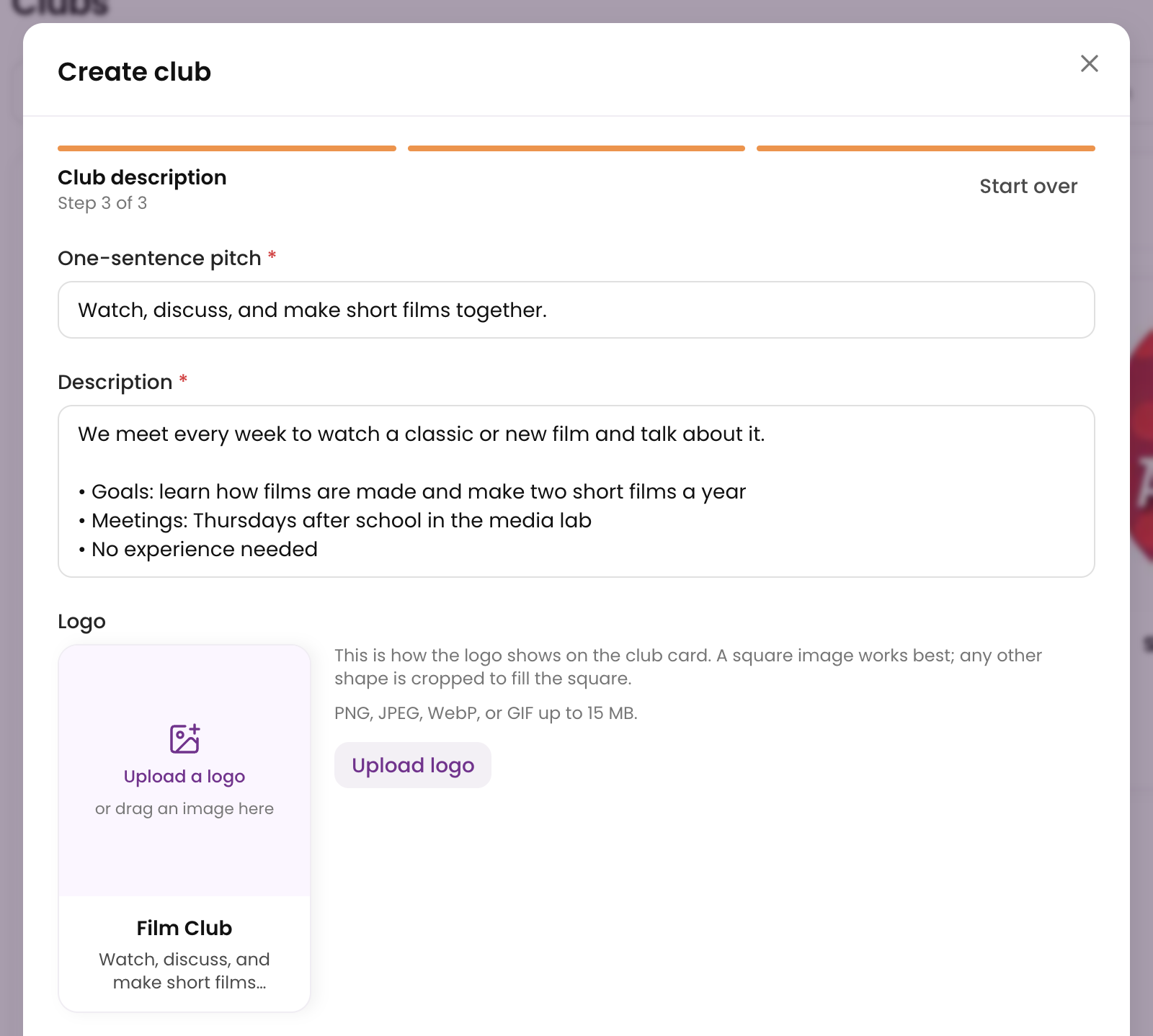
- One-sentence pitch. A short line that shows on the club's card in the club list.
- Description. What the club does, when it meets, and who should join.
- Logo. Upload a square image. Without one, the club shows its initials.
- Custom Questions. If your school asks its own questions about new clubs, answer them at the bottom of this step.
Click Create Club!
While your club waits for approval
Your new club opens with Pending review at the top. Your school's administrators get an email about it, and so does everyone you named on the form.

- Change your answers. Click Edit request on the club's page while it waits.
- Check on your faculty advisor. If your school asks advisors to confirm, the Faculty advisors section shows who has confirmed and who has not answered yet.
- Nudge an advisor. Send reminder emails every advisor who has not answered.

The teacher you named sees an invitation on the club's page and clicks Accept Invitation to confirm.

When your club is approved
An administrator approves or rejects the club. Its club leaders and faculty advisors get an email with the decision, titled Approved: Congrats on starting and the club's name when it is approved.
Once it is approved, your club is in your school's club list and students can join. Next:
- Bring people in with Invite Club Members.
- Put your meetings on the calendar with How to Create Club Events.
- Take attendance at each meeting with How to take attendance.
Frequently asked questions
Who can create a club?
Students and faculty, whenever your school allows new clubs. Administrators can always create one.
Does every new club need approval?
Your school decides. Where clubs are reviewed, a club created by a student or a faculty member waits for an administrator. Otherwise it is created right away.
Can I change the club after I submit it?
Yes. While it waits for approval, use Edit request, Edit leaders, and Edit advisors on the club's page.
How do I add or change club leaders and advisors later?
See Updating Club Leaders and Faculty Advisors.
Quick summary
- Click Clubs, then New club.
- Fill in three steps: the basics, the club's settings, and its description. Then click Create Club!
- Your club shows Pending review until an administrator approves it. Use Send reminder if your faculty advisor has not confirmed.
- Once approved, students can find your club and join.