Advanced attendance tracking counts the meetings each member missed, not only the ones they came to. You turn it on for a club and mark which events members are expected at. Club Hub then keeps the count on the club's Members tab and on each event.
The club's leaders, faculty advisors, and administrators turn it on and see the results.
Turn it on for your club
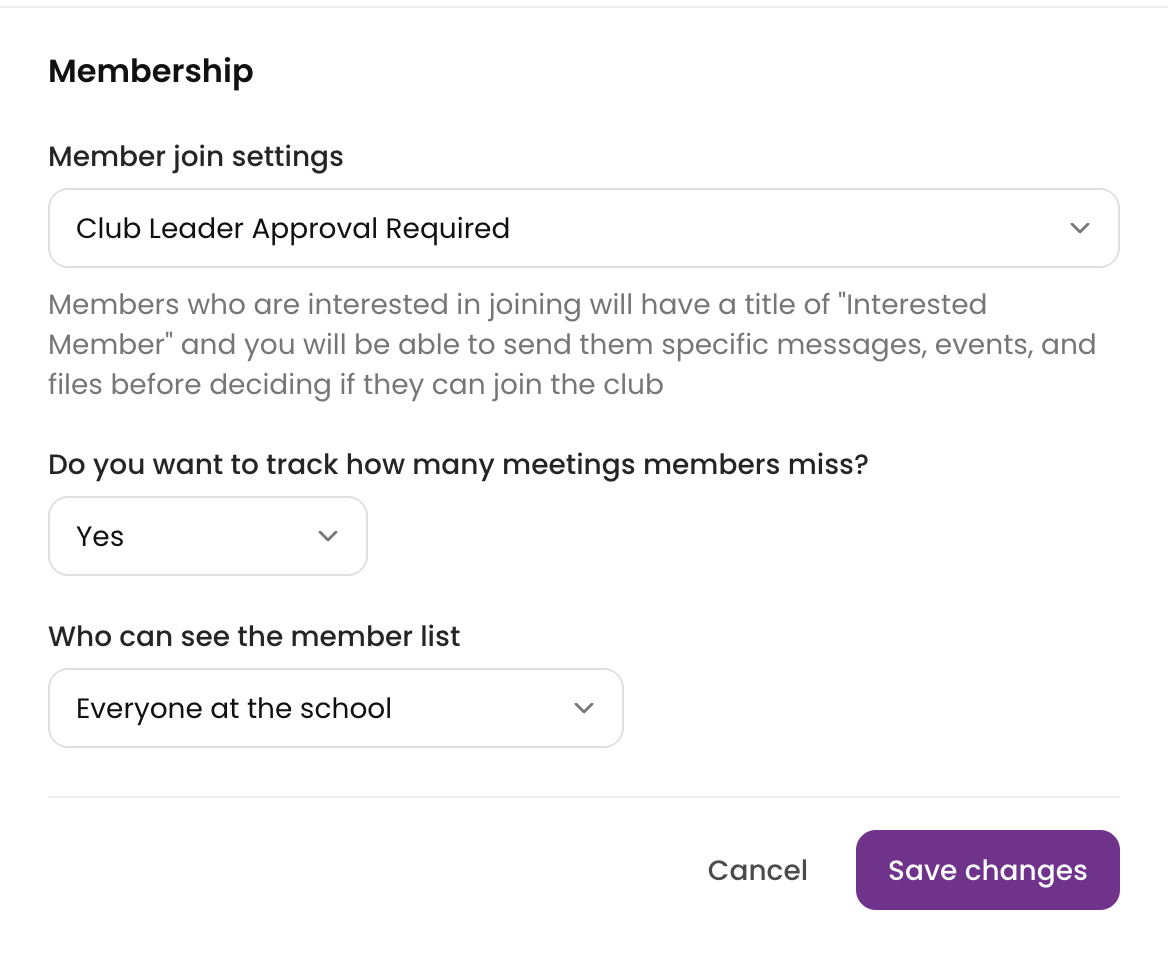
- Open the club, click the three dots beside its name, and choose Edit Settings.
- Select Membership.
- Set Do you want to track how many meetings members miss? to Yes.
- Click Save changes.
Nothing is sent to members when you turn it on or off.
Mark which events are required
Once the club tracks missed meetings, the event form has an Attendance required box. It is selected on every new event, so unselect it for an event members do not have to come to, such as a social.
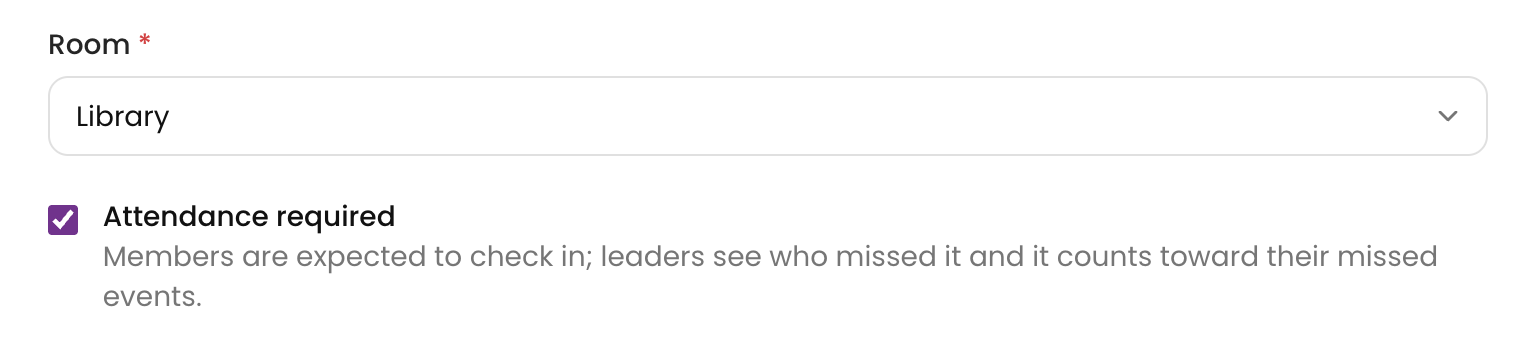
A required event shows an Attendance required badge beside its name. Only required events count as missed.
Events created while tracking was off are not required. To make an upcoming one required, click it, click the three dots, choose Edit Event, select the box, and save. For a repeating event, choose All events to change every upcoming meeting.
See who missed an event
Open a required event that has ended and click the Attendees tab. Below the people who came, Missed Event lists the members who were expected and did not check in.
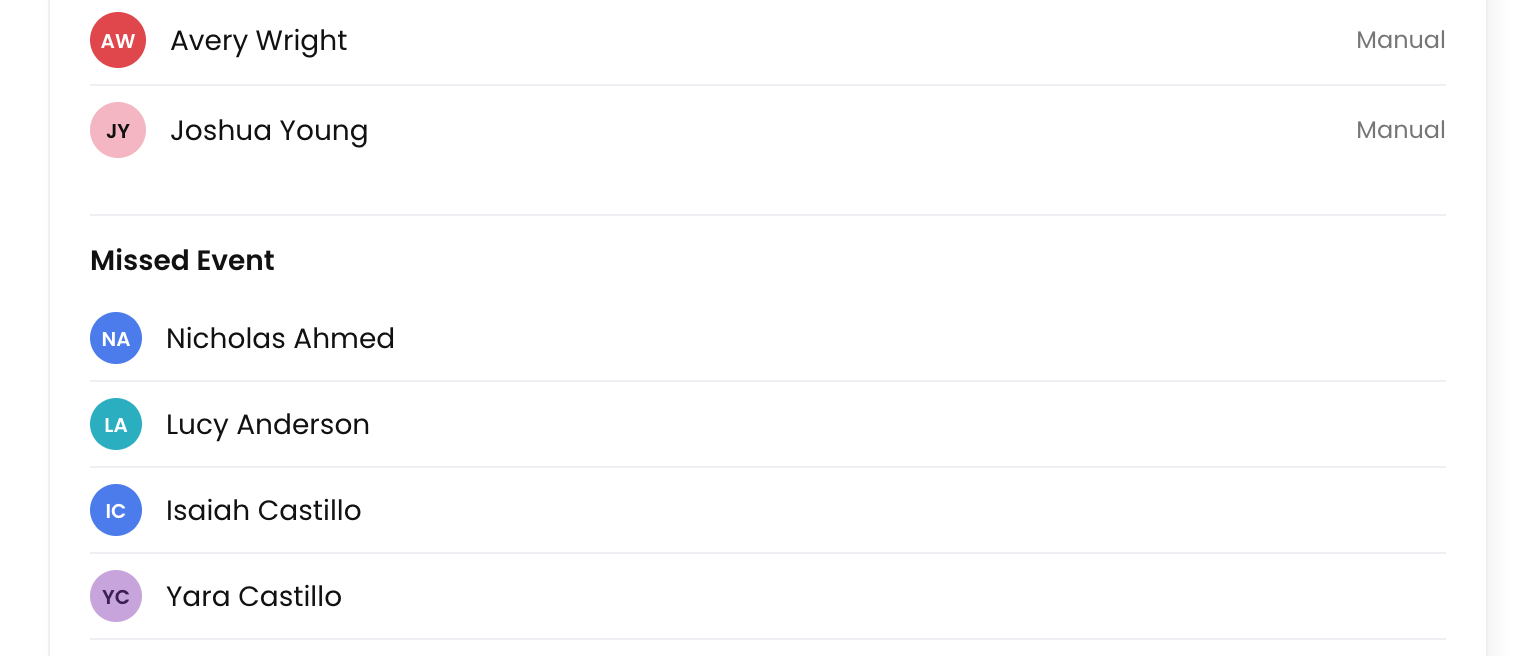
- Only the people the event was for. An event for one membership group, or for the leaders only, lists only those members.
- Never faculty advisors. They are not expected to check in.
- Nobody missing. The list says "Every member was here."
See each member's record
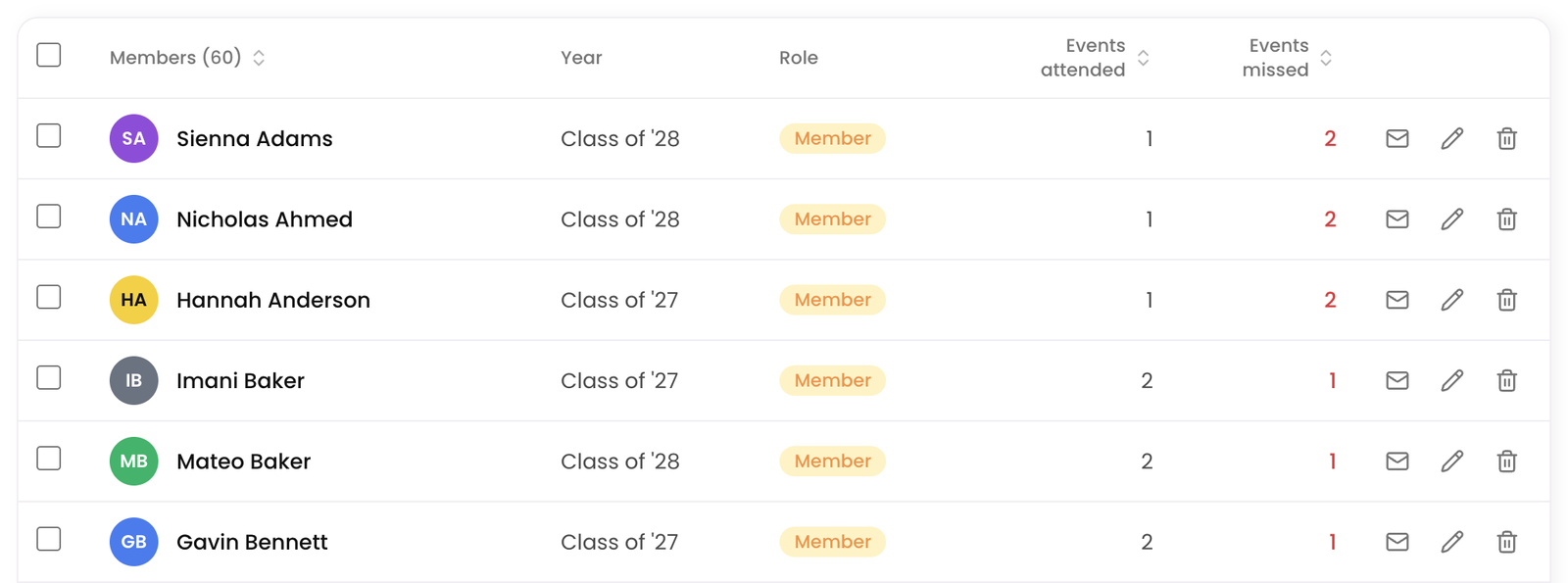
On the club's Members tab, two columns count the current school year for each member:
- Events attended: every event of the club they checked in to.
- Events missed: the required events they were expected at and did not check in to, in red.
Click a column's name to sort by it.
Click a member's name to see the events behind the numbers: each one they Attended and each required one they Missed.
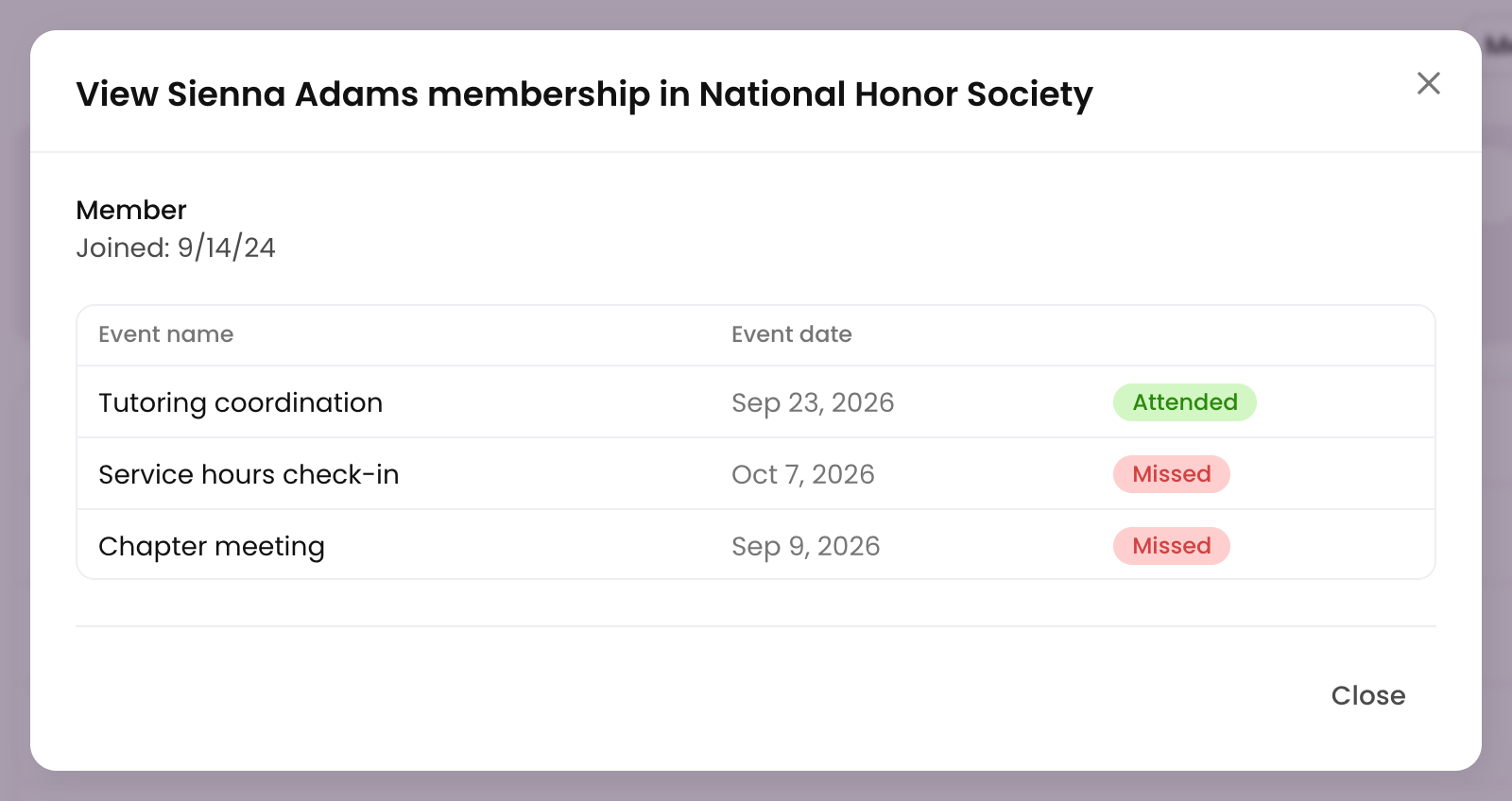
Members see their own record too. A student opens My Activity, where each club shows their Meetings attended, and clicks a club for the same list.
Frequently asked questions
Who can see missed events?
The club's leaders and faculty advisors, administrators, and academic advisors. A member sees only their own, under My Activity.
Does a required event remind leaders to take attendance?
No. Reminders come from two school switches that an administrator sets, whether or not an event is required. How to take attendance explains them.
What happens if I turn tracking off?
The Events missed column and the Missed Event list disappear, and the Attendance required box leaves the event form. Nothing is deleted. Turning it back on brings the same counts back.
Can I remove members who never come?
Yes. Remove members with 0 attendance in Bulk Remove Club Members removes everyone with no check-ins in the school year you choose.
Quick summary
- Edit Settings → Membership: set Do you want to track how many meetings members miss? to Yes, then Save changes.
- Select Attendance required on the events members are expected at. New events start with it selected.
- A required event's Attendees tab lists who missed it under Missed Event once it has ended.
- The Members tab counts Events attended and Events missed, and a member's name opens their list.
- Take attendance itself with the QR code or by hand: see How to take attendance.