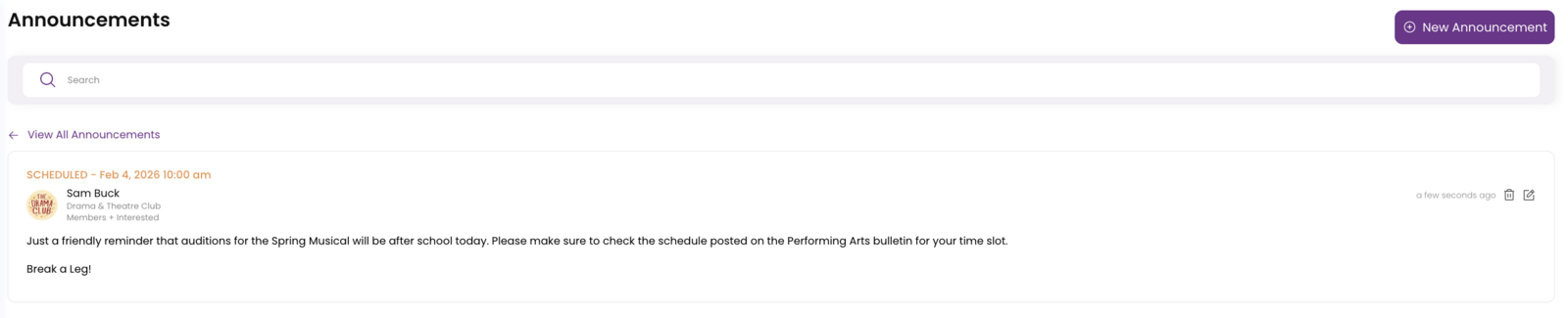
Save time and ensure timely communication by creating announcements in advance. You can either schedule them to send later or save them as drafts to finish or publish when ready.
Schedule Announcements
- Go to the Announcements page and click + New Announcement
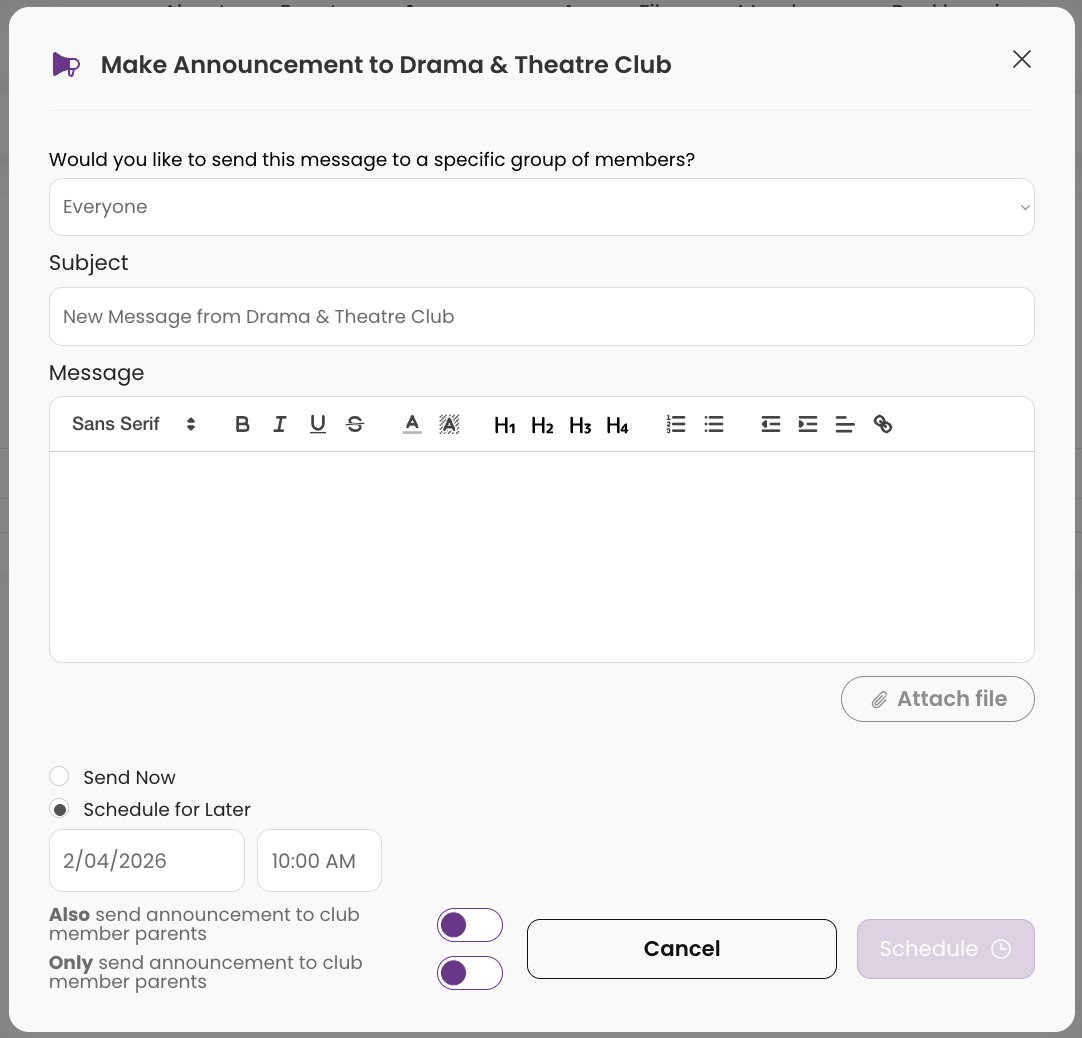
- At the bottom of the pop-up, select Schedule for Later
- Choose the date and time you want the announcement to be sent
- Click Schedule.
Save Announcement as Draft
- Go to the Announcements page and click + New Announcement
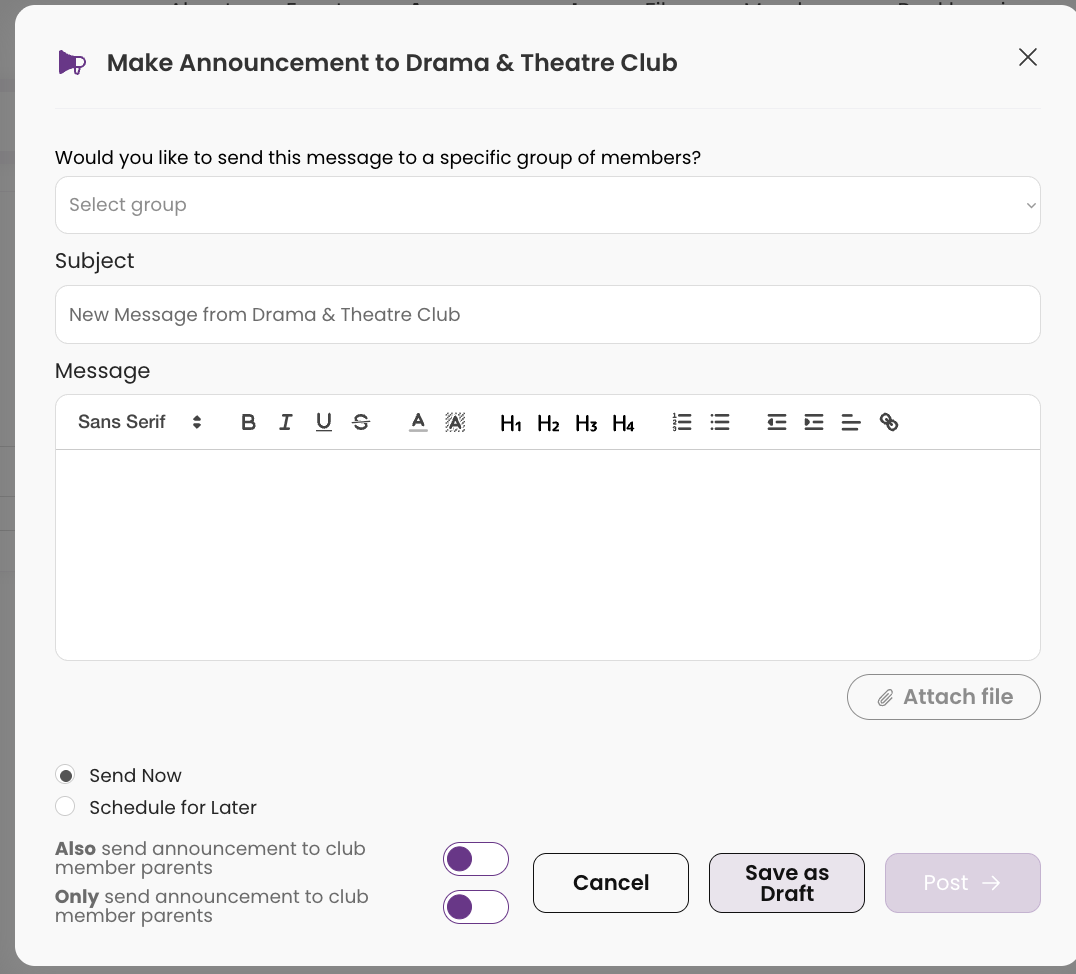
- Write your announcement
- Click Save as Draft.
View Drafts and Scheduled Announcements
You can view, edit, or delete your draft and scheduled announcements at any time.
- Go to the Announcements page.
- Click View Scheduled & Drafts.
- Review your list of scheduled and draft announcements.

- View a list of your scheduled and draft announcements